
Design work: Education
Elearning app development for online courses, from the class list to the certificate: Edulite
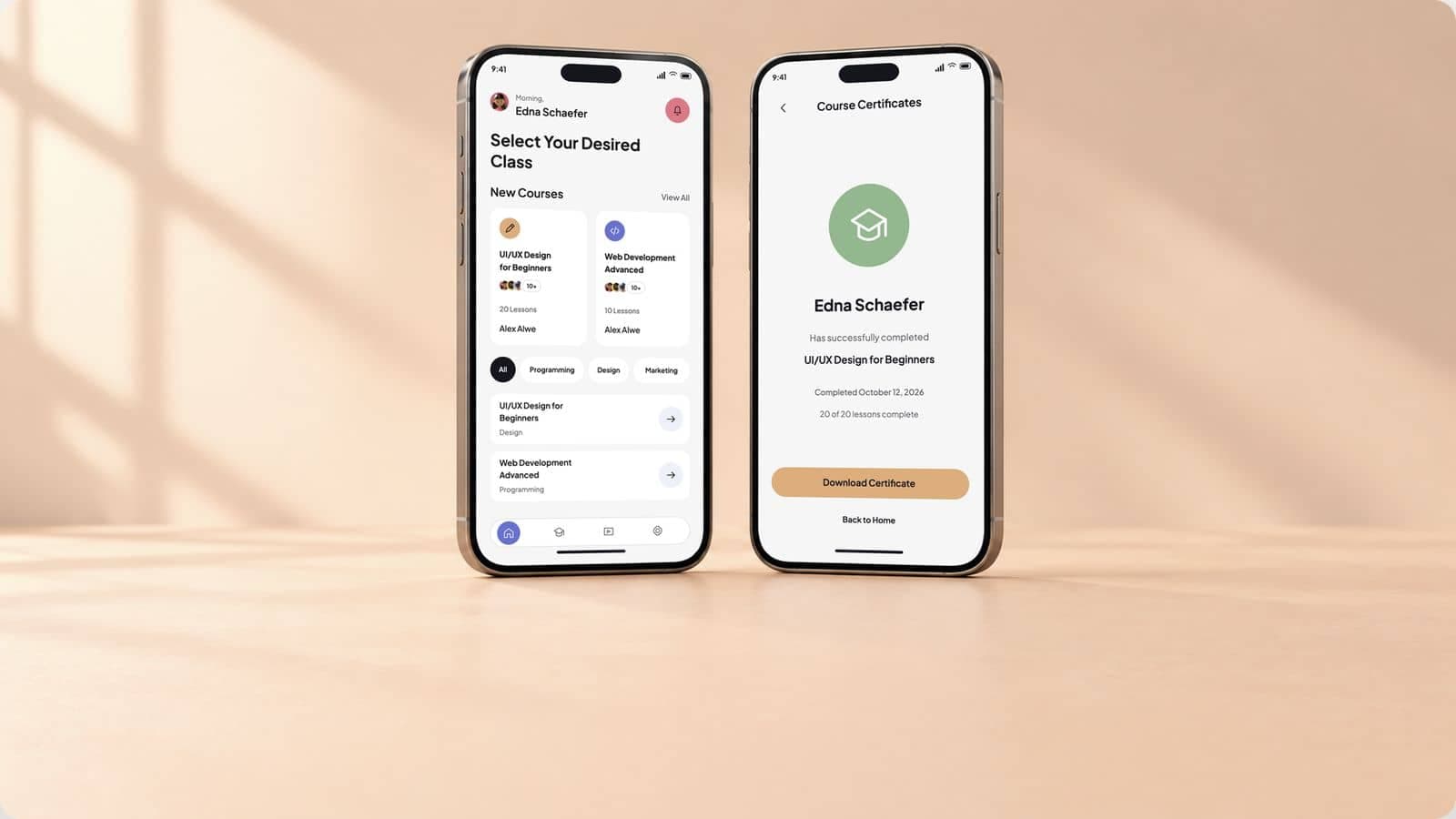
Edulite is an online course app we designed: a home screen of new classes, the learner’s course list, a course page and the certificate, and the identity around the app. The page also sets out how we develop an elearning app behind screens like these: video lessons, progress that follows the learner, store billing and the tutor side.
- Project
- Edulite
- Type
- Online course app
- Our work
- Mobile app design, brand identity
- Platform
- Mobile phone
Shown as design work under the Edulite project name. The reimagined screens, learners, tutors, courses, lesson counts, enrollment and chart figures, and dates are illustrative concepts. The lesson player, offline downloads, billing and the course builder show proposed development scope.
What the online course app had to do
A learner opens a course app for one of two reasons: to find a class, or to carry on with one. The app has to make both quick, and to mark the finish when it comes.
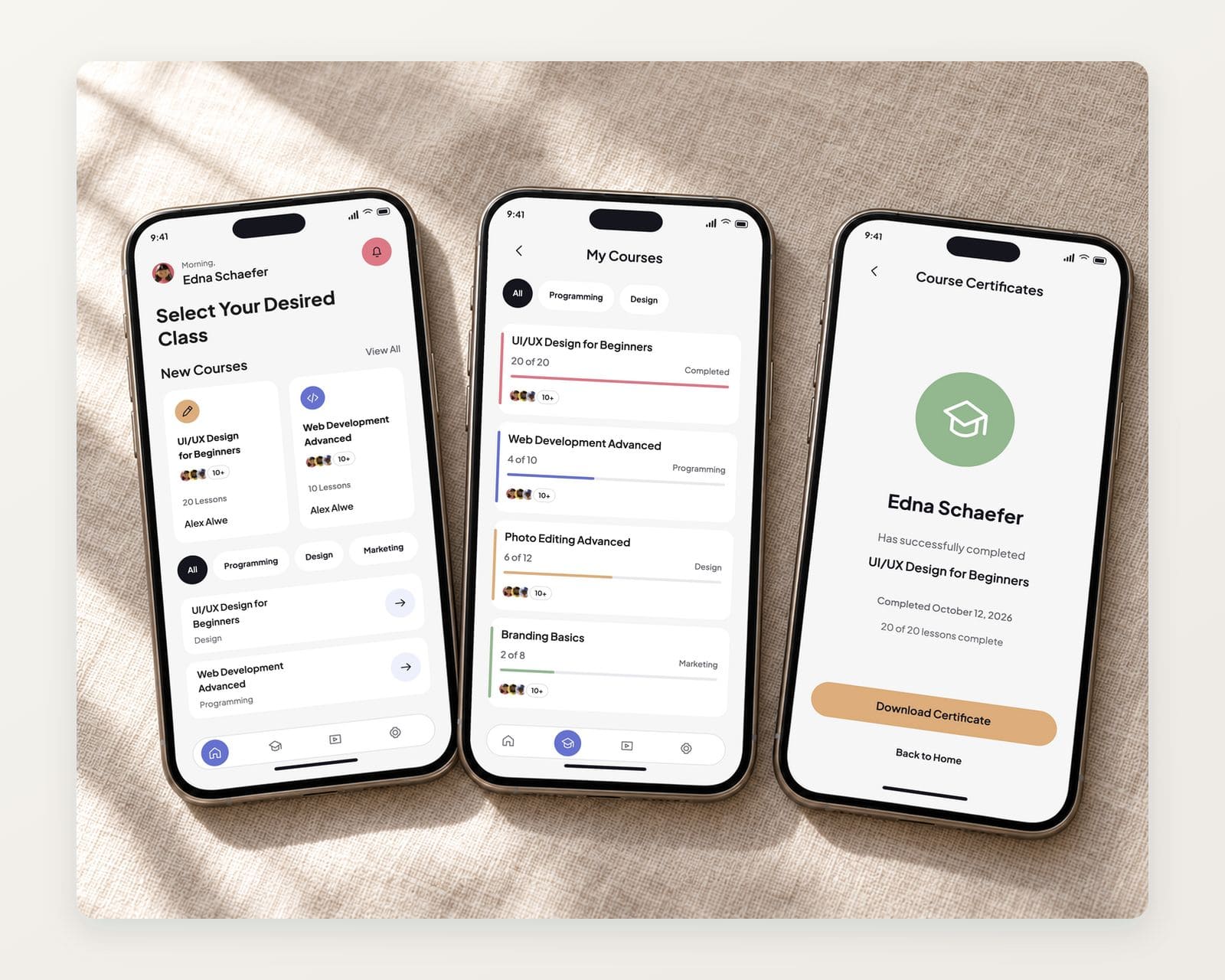
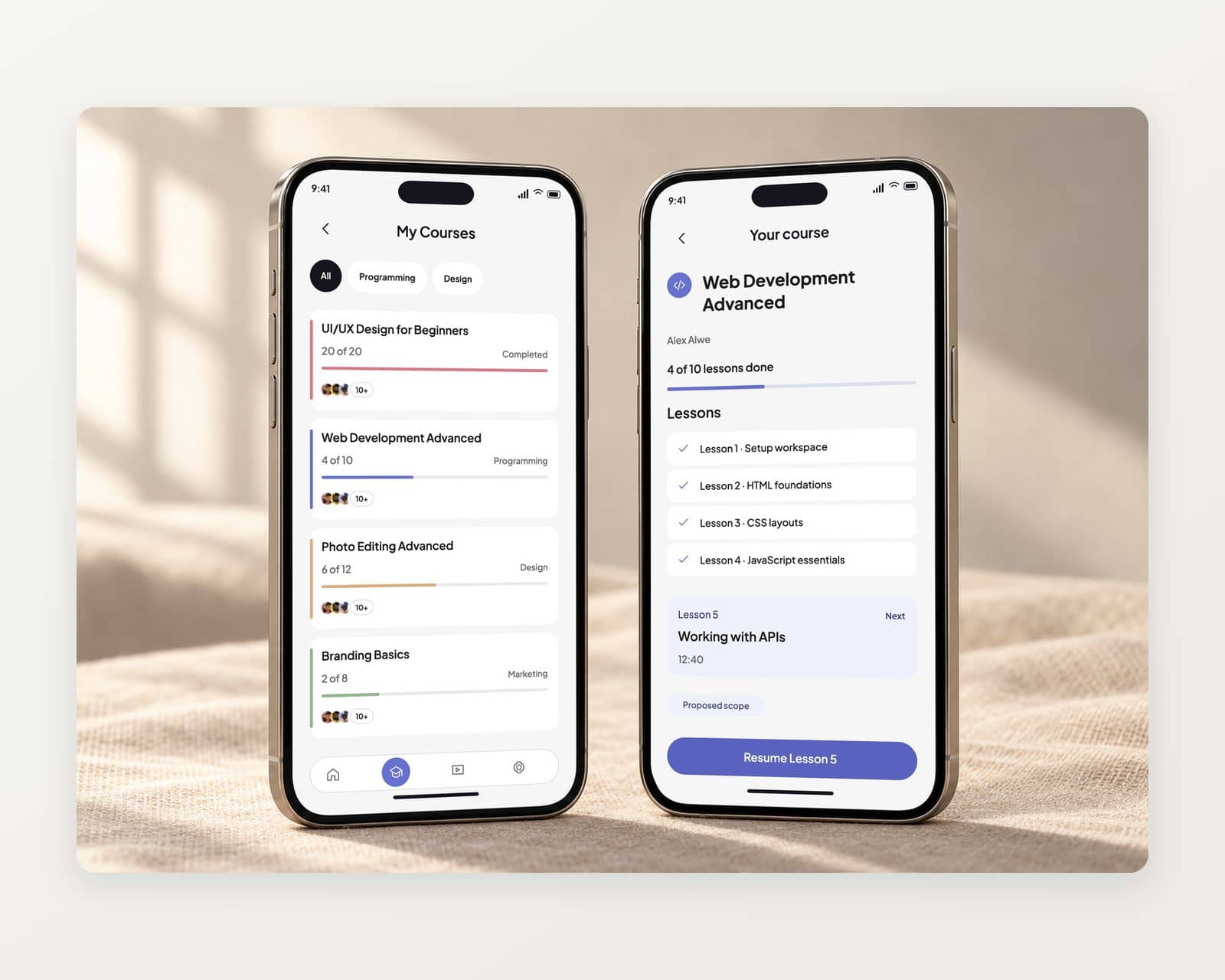
The design opens on new courses, with the subject filters just below. Each course card carries its lesson count, its tutor and the people taking it. The learner’s own courses sit in one list, each with a colored bar, and a finished course ends in a certificate to download.
- Find a class fastNew courses first, then the filters.
- Carry on with oneThe learner’s courses in one list.
- Mark the finishA certificate to download at the end.
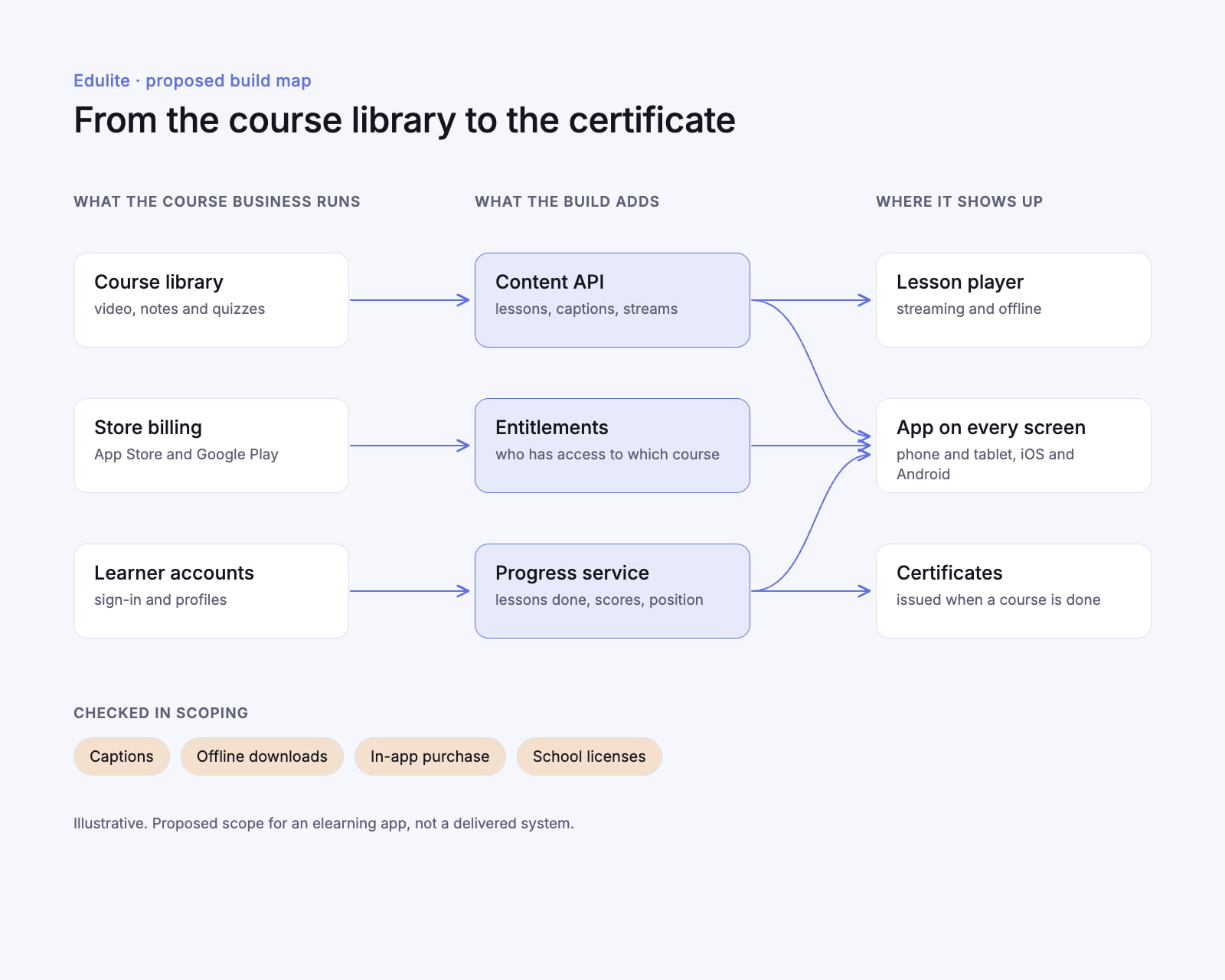
Elearning app development, from the course library to the certificate
The screens are the part a learner sees. A course app runs on four more parts behind them, and they decide most of the build.
Video lessons that stream and download
Lessons stream at the quality the connection allows, carry captions, and download for offline viewing with an expiry the course owner sets.Progress that follows the learner
Lessons finished, quiz scores and the last position in a video sync to the account, so a course started on a phone resumes on a tablet.Billing that fits each store
Courses and subscriptions sold in the app run through Apple and Google billing, while licenses a school or employer buys are granted to its learners outside the stores.A course builder for tutors
Tutors add lessons, quizzes and captions in a web console, publish a course when it is ready and see where learners stop.
What the Edulite elearning app does
Every screen keeps a learner moving: find the class, pick up where they stopped, and finish.
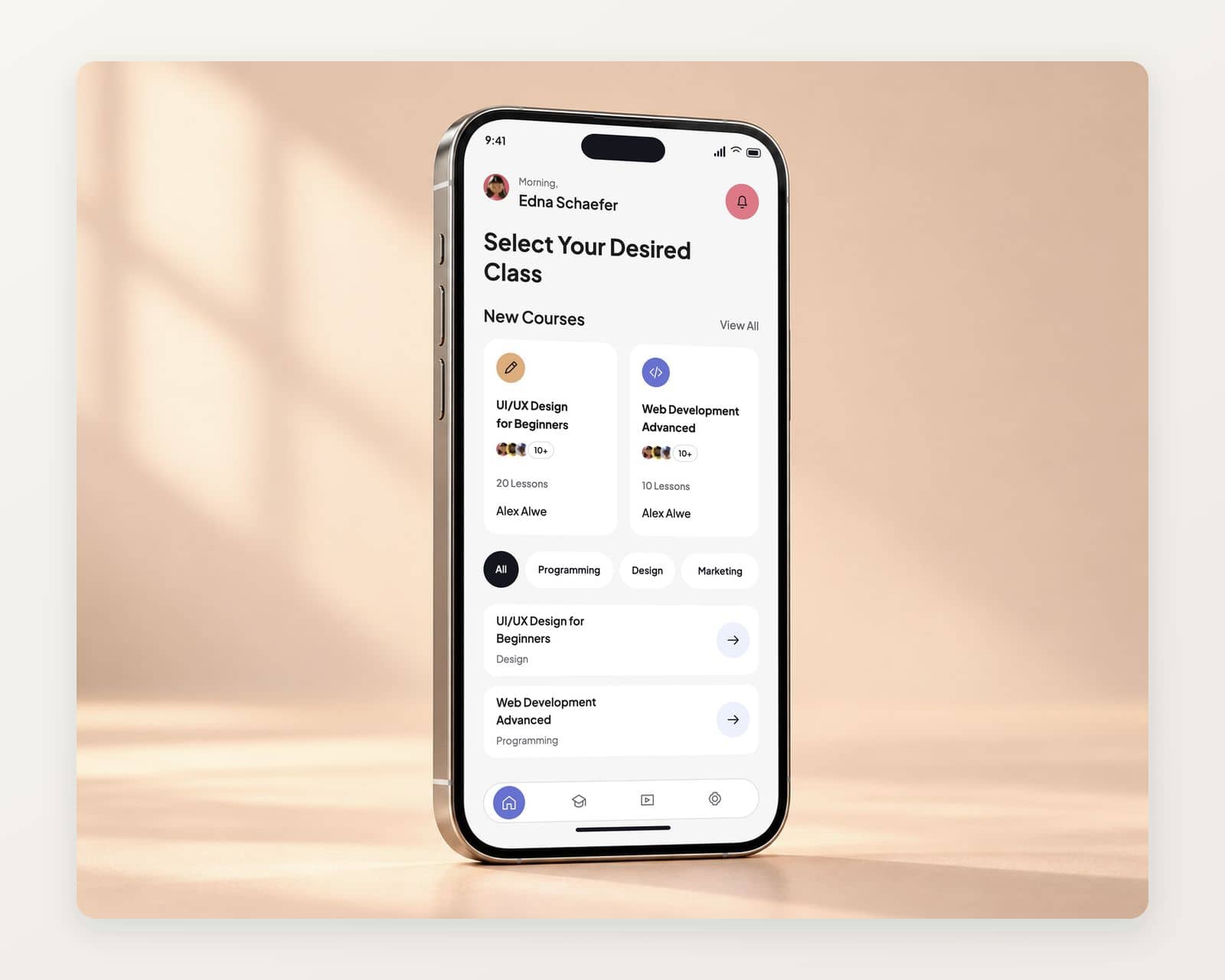
A home screen that starts with new classes
New courses in a row of cards with the lesson count, the tutor and who is taking them, and subject filters for programming, design and marketing below.
My courses, with the next lesson one tap away
Each course in the learner’s list carries its color bar, the lessons done and a Resume button that opens the lesson where the learner stopped.
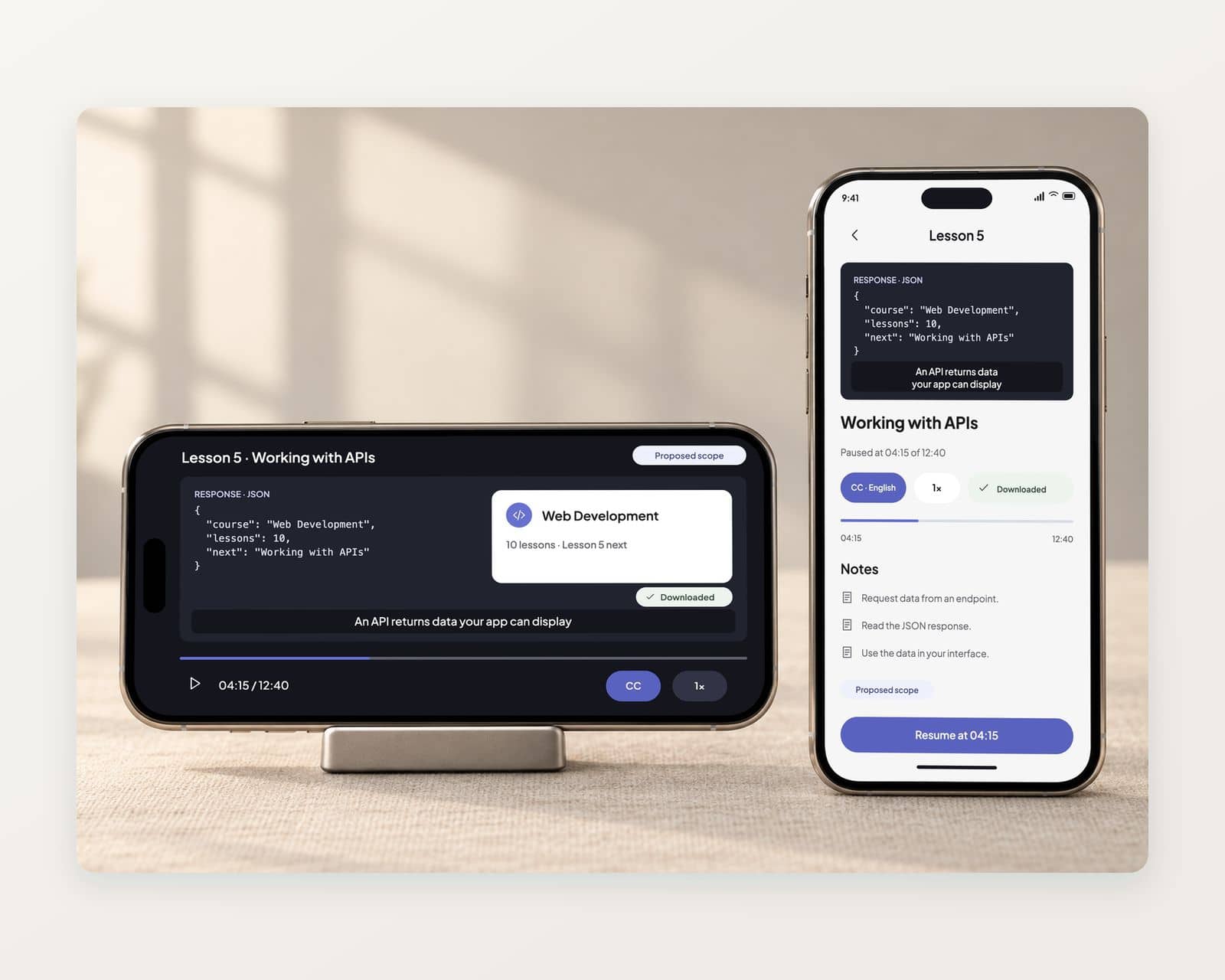
A lesson player with captions and downloads
Video with captions on by default, playback speed, the lesson’s notes below and a download button for watching offline. Proposed scope.
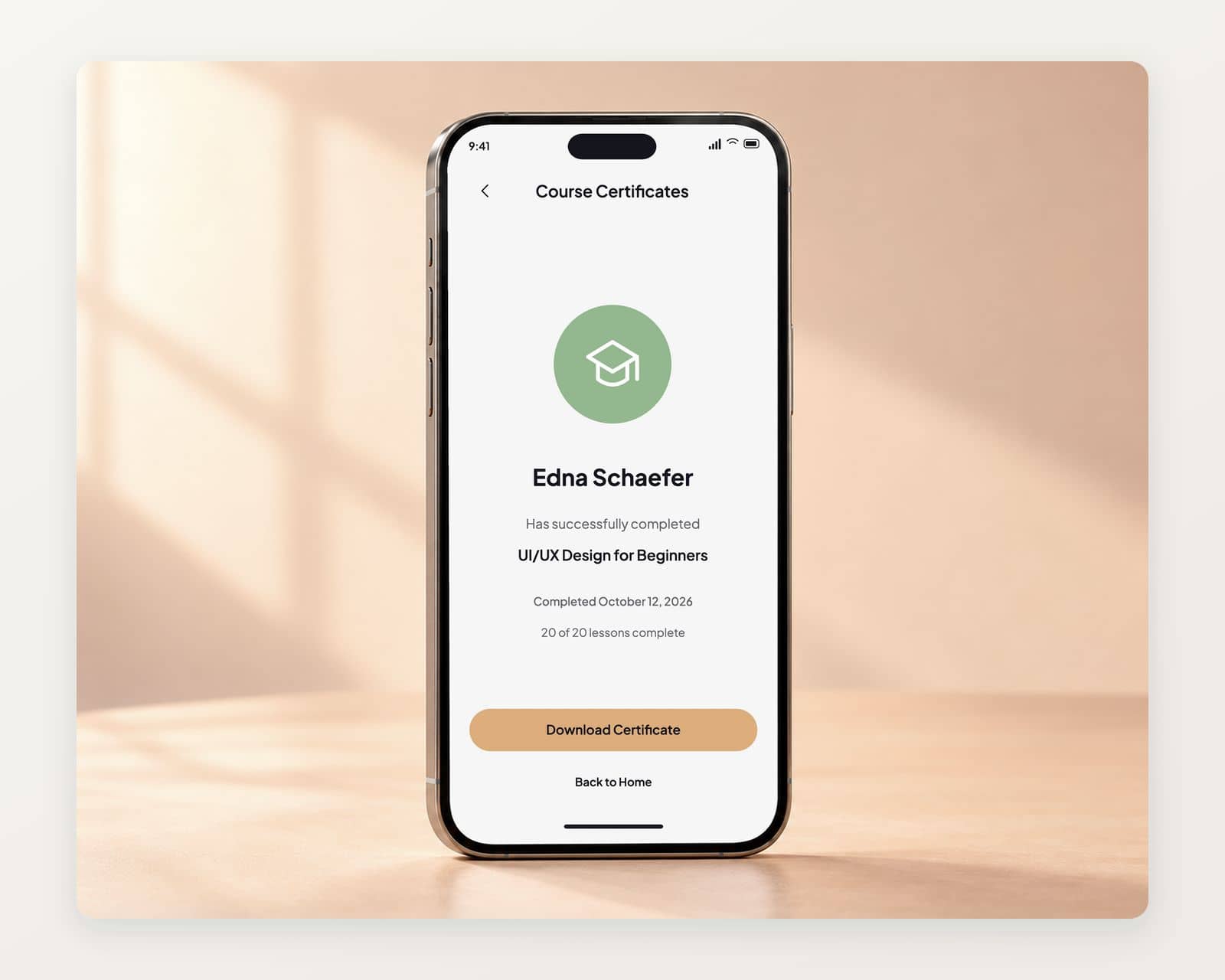
A certificate when the course is done
The learner’s name, the course and the completion date on one screen, with a button to download the certificate and one back to the home screen.
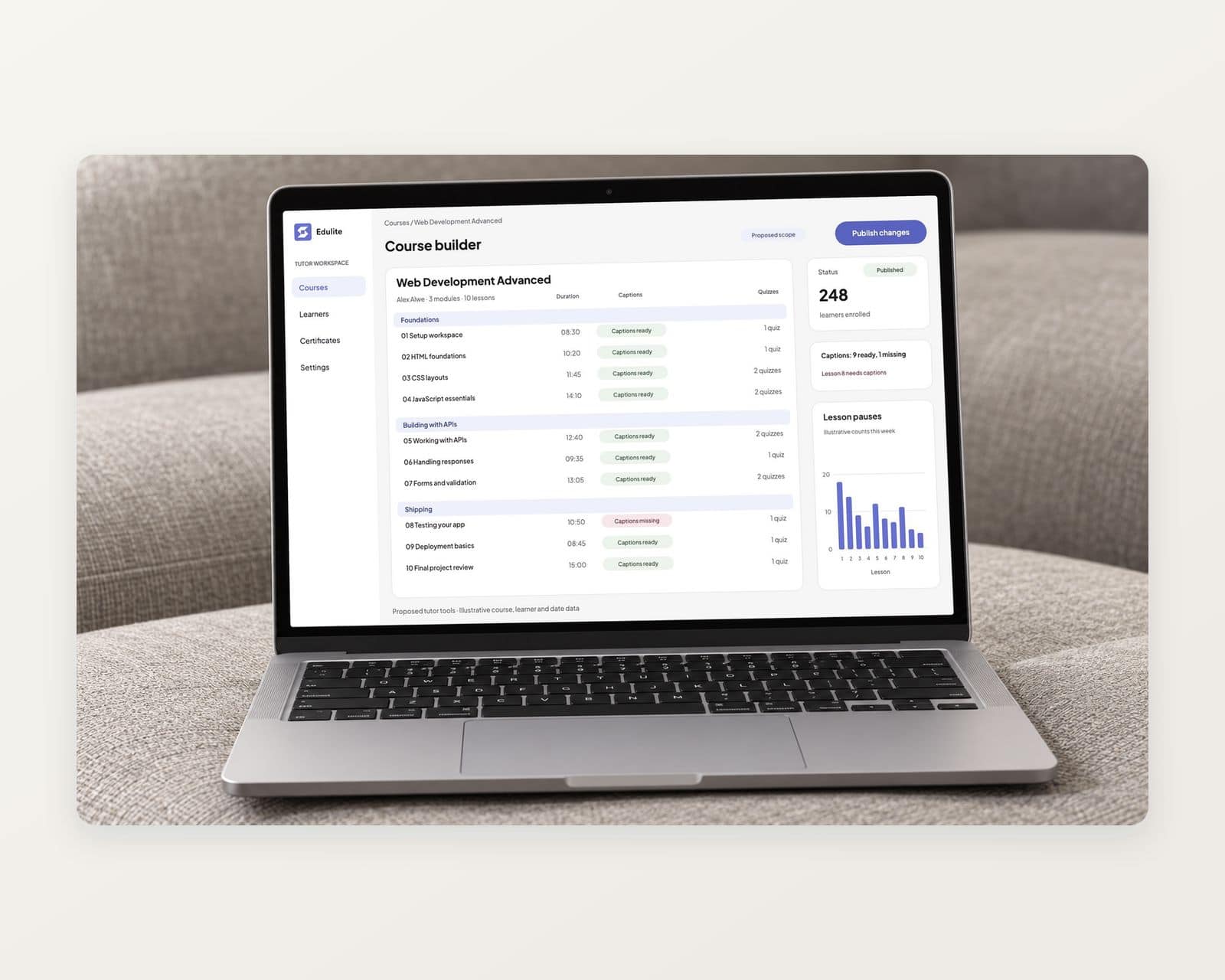
A course builder for tutors on the web
Modules and lessons in order, a caption file on each video, quiz questions, and a publish switch, with the drop-off point for each lesson. Proposed scope.
An identity that carries from the icon to the street
The blue square mark as the app icon, on the round sign, the polo shirt and the pens, with the palette and type the screens are built from.
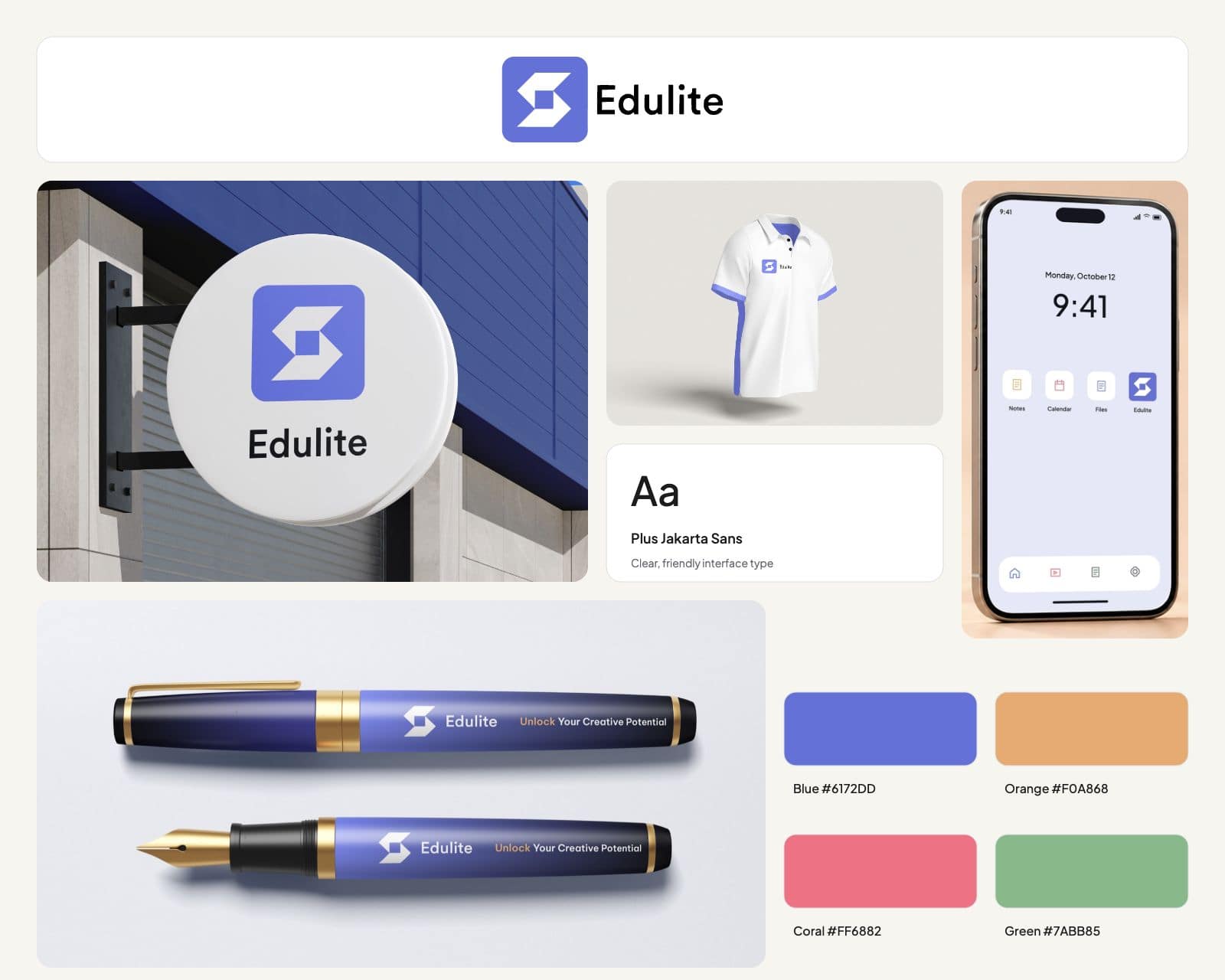
The services behind this work: mobile app design and mobile app development. Our education software development page covers the sector. Planning something similar? Read our guide to mobile app development cost.
Before you brief anyone
Planning an elearning app? Settle these first
Settle who pays, what it plugs into and who the learners are before the screens.
Request a scoping callDecide who pays.
A consumer course app sells courses or a subscription through the app stores’ billing; an app a school or employer licenses for its people grants access outside the stores. That choice sets the checkout, the accounts and much of the build.
Decide whether the app stands alone or plugs into a learning platform.
A course app with its own catalog is one product; an app for a school that already runs an LMS reads courses and grades from it. Our custom LMS development page covers that side.
Decide who the learners are.
An app for adults needs clear account and data choices; an app for children under 13 needs verifiable parental consent before it collects anything, and the analytics and ads it carries change with it.
Then agree the scope before comparing prices.
Video, offline downloads, quizzes and the tutor console each add work, and our guide to mobile app development cost shows which choices move the figure. Our mobile app development page covers the build.
Questions about elearning app development
If something here does not answer it, ask the founder directly.

Talk to the people who do the work
A 30 minute scoping call with the team that would take the project on. We reply within 12 hours.
Prefer email?info@redliolabs.com
What does elearning app development include?
A learner app with a catalog, course pages, a lesson player with captions and downloads, quizzes, progress and certificates; accounts that sync across devices; billing through the app stores or a license from a school or employer; and a course builder for tutors. The app is one part; video, billing and the tutor side decide most of the cost.
Do you develop elearning apps as well as design them?
Yes. We design and develop elearning and education apps through our mobile app development work, from the learner app to the course builder behind it. Edulite, shown here, is design work: the screens and the brand.
How much does elearning app development cost?
It depends on video and offline viewing, how courses are sold, the platforms and the tutor tools, so we price it after a scoping call. Our guide to mobile app development cost explains the main factors.
What is the difference between an elearning app and an elearning platform?
The app is what learners use on their phones. Elearning platform development covers the whole system: the app, a web version, the course builder, billing, reporting and the content service behind them. A course business usually needs the platform; the app is its most used screen.
Should a course business build an app or use a course platform?
A hosted course platform with a branded app is quicker when a catalog, video and payments are all it needs. A custom app pays when the learning format, community, licensing to schools or employers, or the data it keeps sets the business apart.
Can an elearning app connect to a school’s LMS?
Yes, through the LMS’s standards: LTI to launch the app’s lessons from a course, and grade services or OneRoster to return scores and read rosters. That keeps the school’s LMS as the record of enrollment and grades, with the app as the place learners study.
What an elearning app has to get right before launch
A course app sells digital content through two app stores, may reach children and plays recorded video, and each of those has a rule behind it.
3.1.1
Courses sold through in-app purchase
Apple requires in-app purchase to unlock premium content or subscriptions; on the US storefront an app may also include links to buying on the web.
App Review GuidelinesPlay billing
The same rule for Android subscriptions
Google Play requires its billing for in-app sales of digital content, names education subscriptions as an example, and allows other billing only in its programs.
Google Play payments policyUnder 13
Parental consent for young learners
The amended COPPA Rule, in force since June 23, 2025, requires verifiable parental consent before collecting a child’s data, and separate consent for most third-party sharing.
16 CFR 312.51.3
No third-party ads in the Kids Category
Apple asks apps in its Kids Category to leave out third-party analytics and advertising, with narrow exceptions that collect nothing identifying about a child.
App Review Guidelines1.2.2
Captions on every recorded lesson
WCAG 2.2 makes captions for prerecorded video a Level A success criterion and audio description of prerecorded video Level AA, so captions are planned with each lesson.
WCAG 2.2In the app
Account deletion where the account began
Apple requires any app that supports account creation to let people start deleting their account from within the app.
App Review: account deletion
We check billing, consent and captions against these during scoping, so the app passes review and launches with nothing to rebuild.
More mobile app design work like the elearning app
Design work
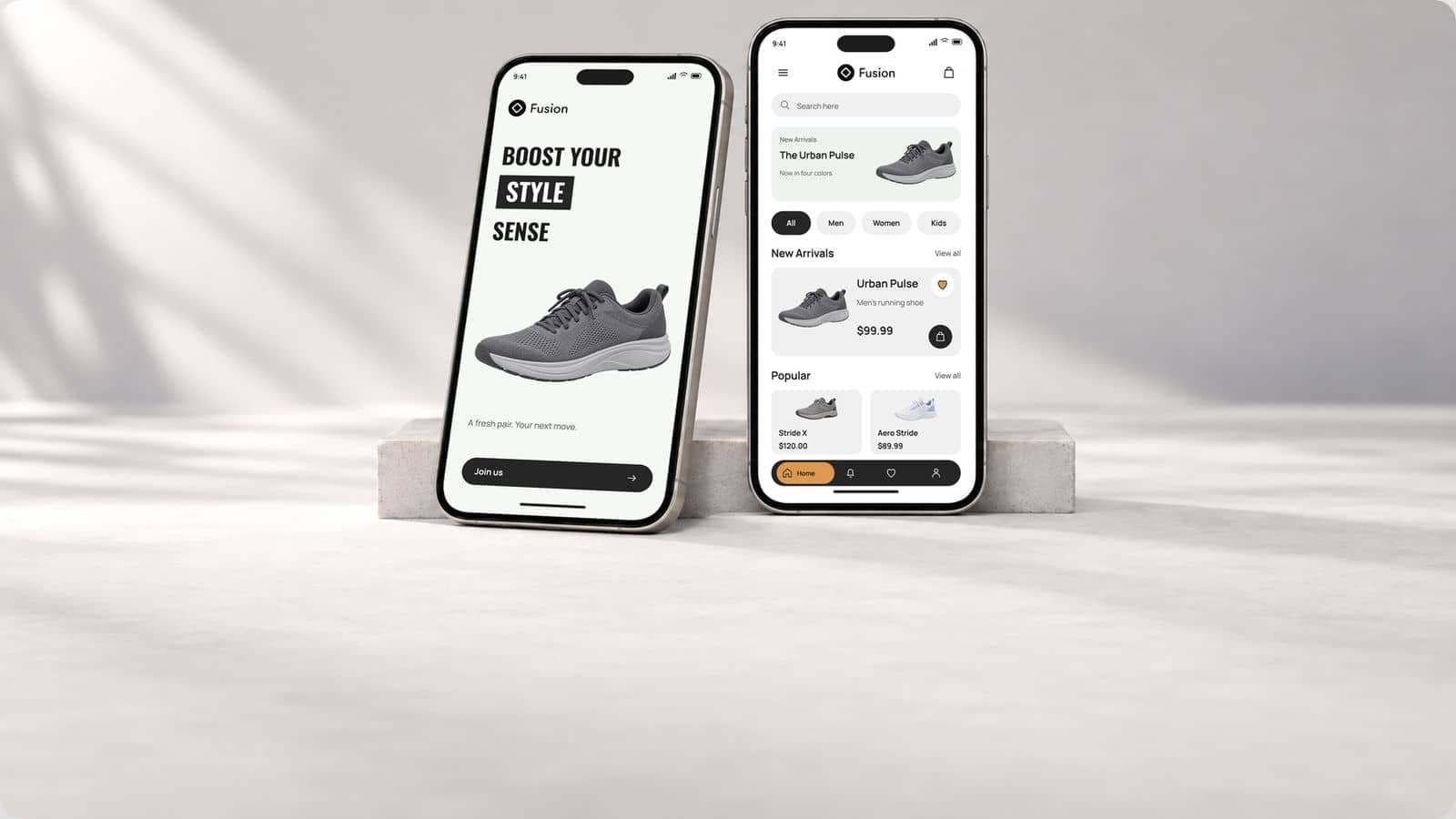
Ecommerce app development for a footwear brand, from the catalog to the checkout: Fusion
A shoe store app for a footwear brand, and the catalog, checkout and orders behind it.
Design work
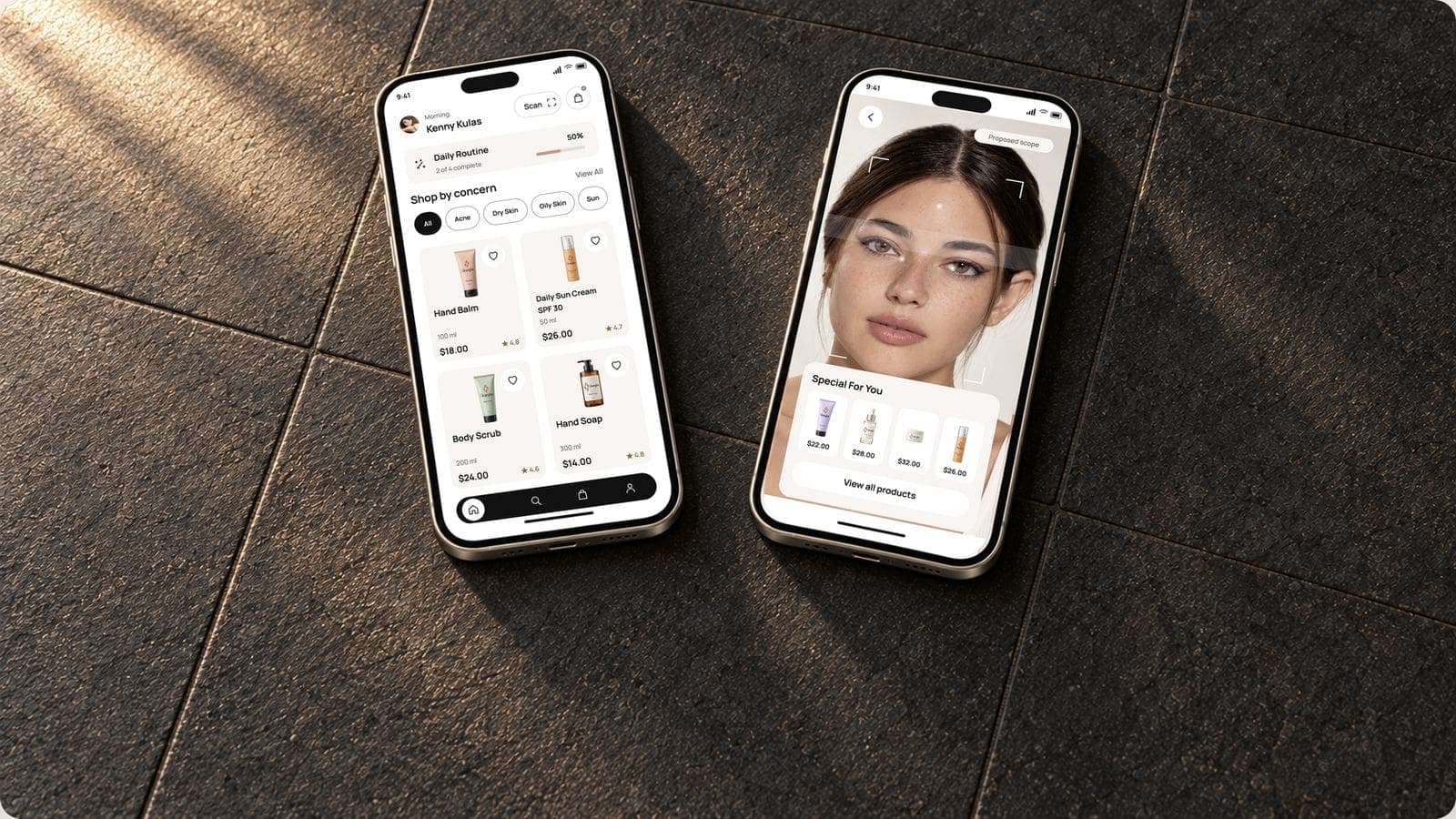
Beauty app development for a skincare brand, from the face scan to the reorder: Gleamglow
A skincare shopping app with a face scan, and the consent, catalog and reorders behind it.
Design work
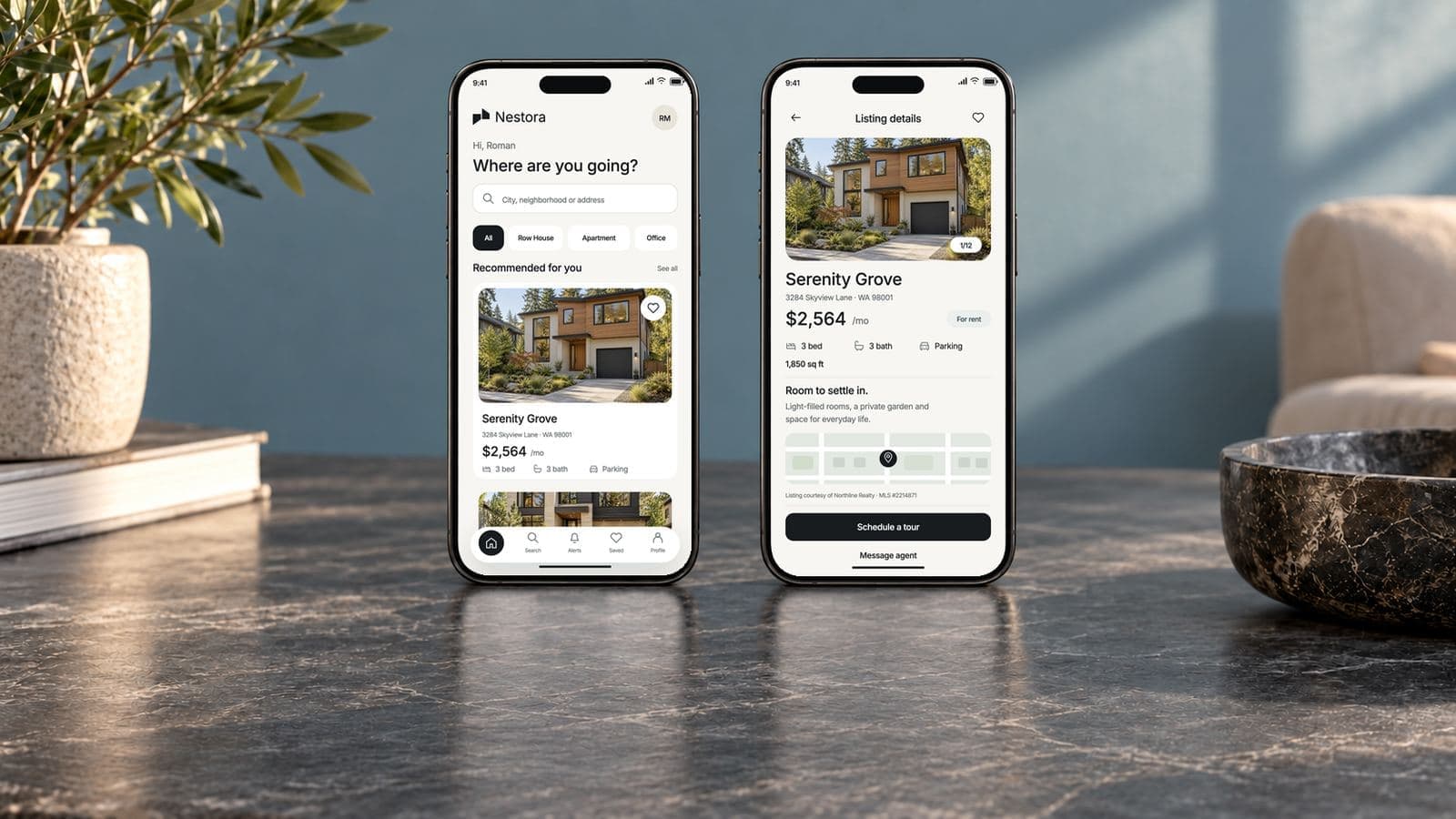
Real estate and property listing app development, from the MLS feed to the saved home: Nestora
A property listing app, and the MLS feed, search and agent side behind it.
Talk to us about an elearning app
Thirty minutes with the people who would design and build it: who the learners are, how courses are sold, and what has to work offline.
- We reply within 12 hours
- You talk to the people doing the work, never an account manager
- Peer-reviewed releases
- NDA before your first call

Mayursinh Jadeja
Founder, Redlio Labs