
Design work: Events and entertainment
Event management app development for a ticket booking app: Nexvent
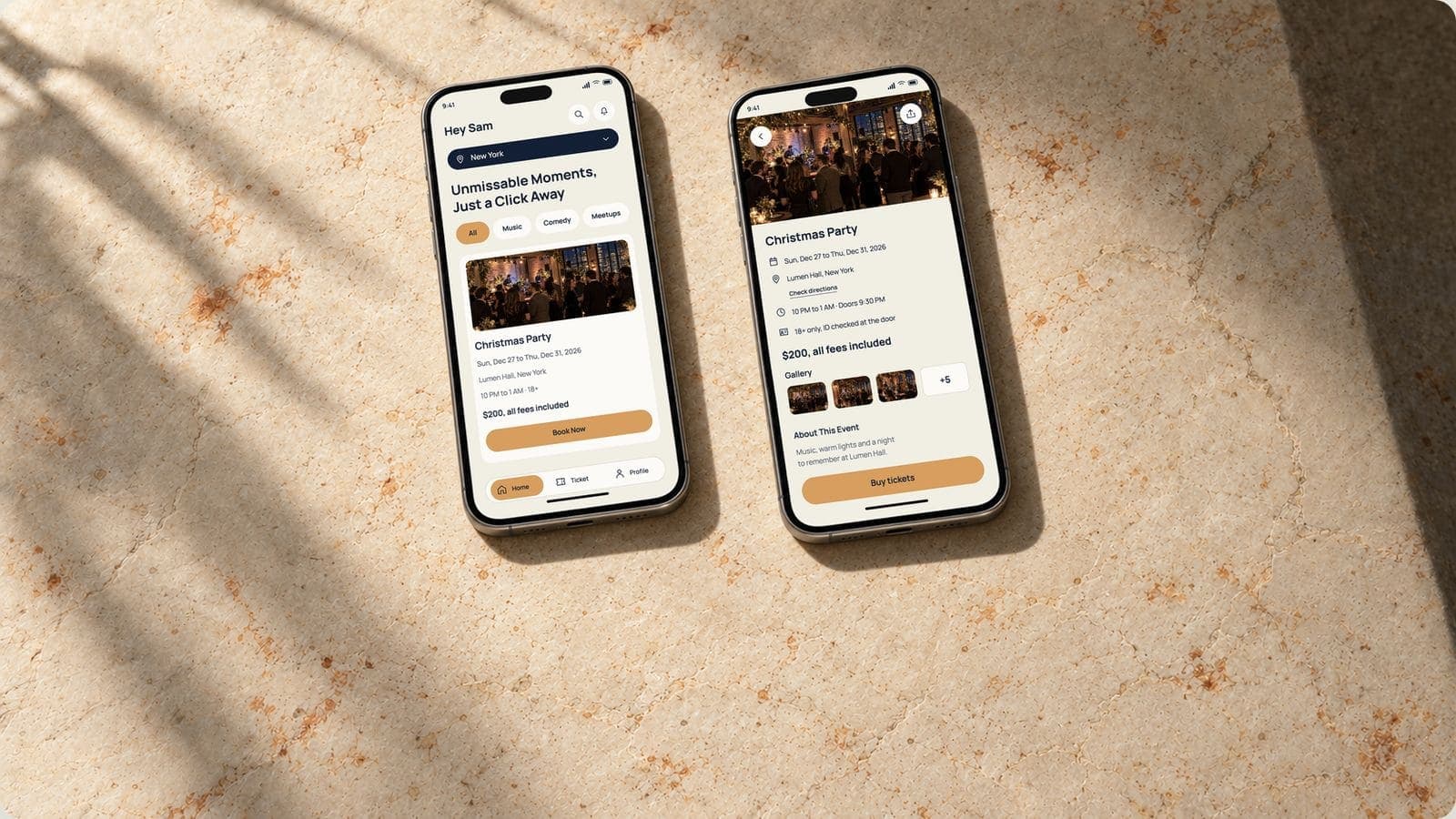
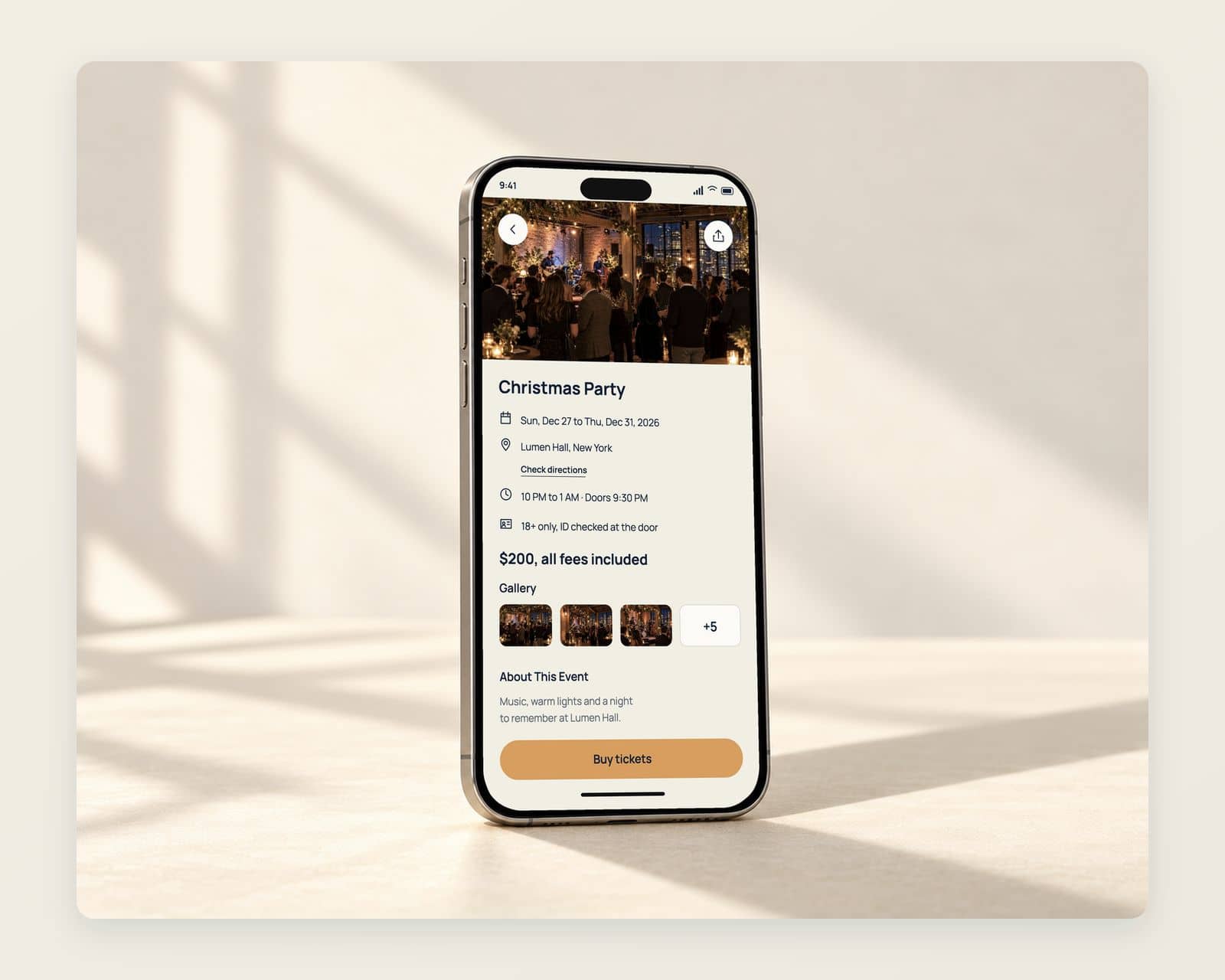
Nexvent is an event booking app we designed: a home feed of events by city and category, an event page that ends in a buy button, and the identity for the product. The page also sets out how we develop an event management app behind screens like these: ticket inventory, all-in pricing, mobile tickets, door check-in and the organizer side.
- Project
- Nexvent
- Type
- Event booking app
- Our work
- Mobile app design, brand identity
- Platform
- Mobile phone
Shown as design work under the Nexvent project name. The reimagined screens, event photography, events, venues, people, dates, prices and counts are illustrative concepts. Ticket inventory, checkout, mobile tickets, door check-in and the organizer dashboard show proposed development scope.
What the event booking app had to do
Someone choosing what to do this weekend decides quickly. They need to see what is on near them, when, where and for how much, and then book before the thought passes.
The design opens on the city and a row of categories: music, comedy, meetups. Each event is a card with its dates, place, hours, price and age limit, and a button to book. The event page adds a photo gallery and directions, with the buy button held at the foot of the screen in the same orange.
- Events by categoryMusic, comedy and meetups, one tap each.
- The facts on the cardDates, place, hours, price and age limit.
- One button to bookBook or buy, always in the same orange.
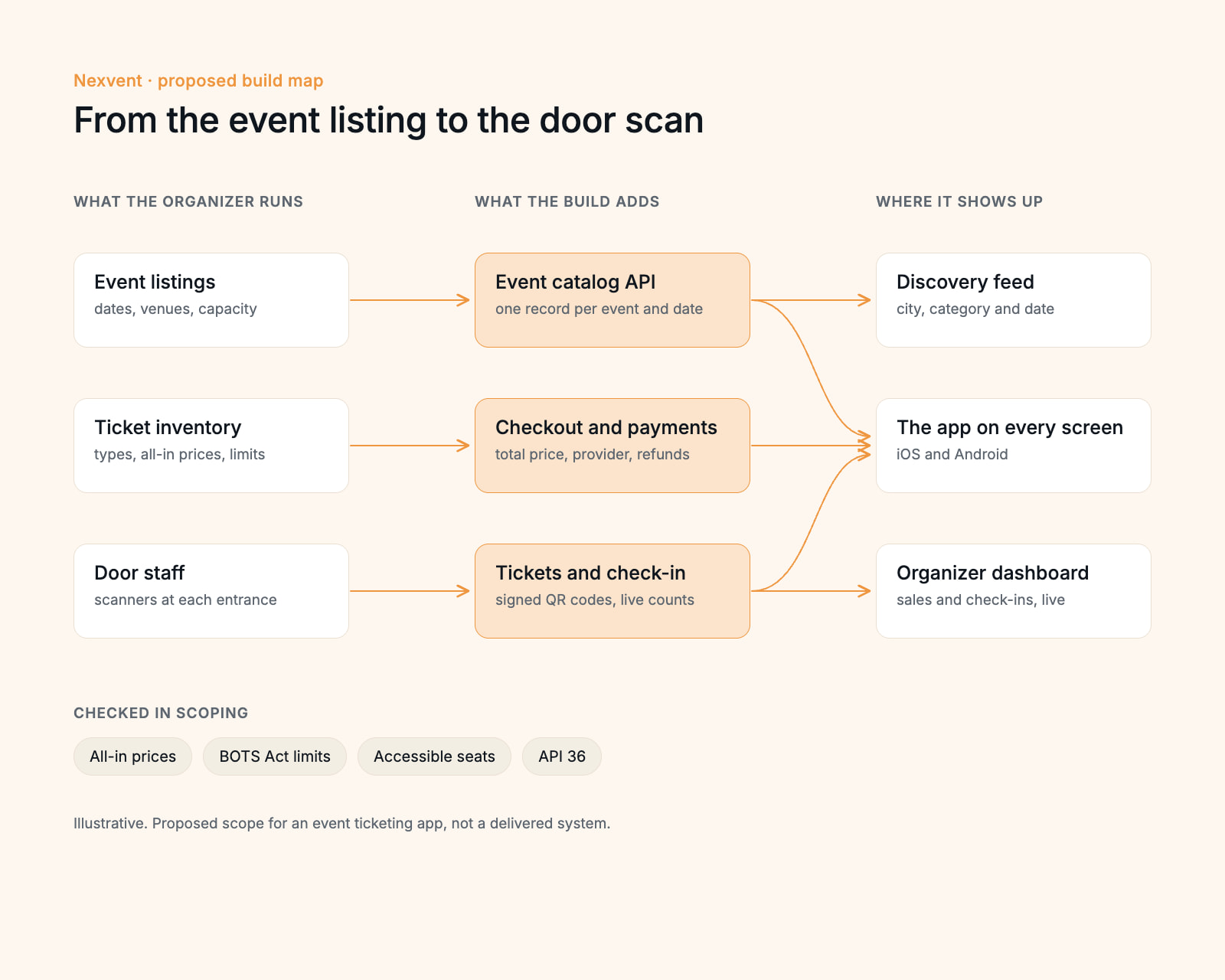
Event management app development, from the ticket on sale to the scan at the door
The screens are the part an attendee sees. An event app runs on four more parts behind them, and they decide most of the build.
Events and ticket types in one catalog
Each event, date, venue, capacity and ticket type held in one record the organizer edits, so the feed, the event page and the checkout show the same seats left.A checkout that shows the total first
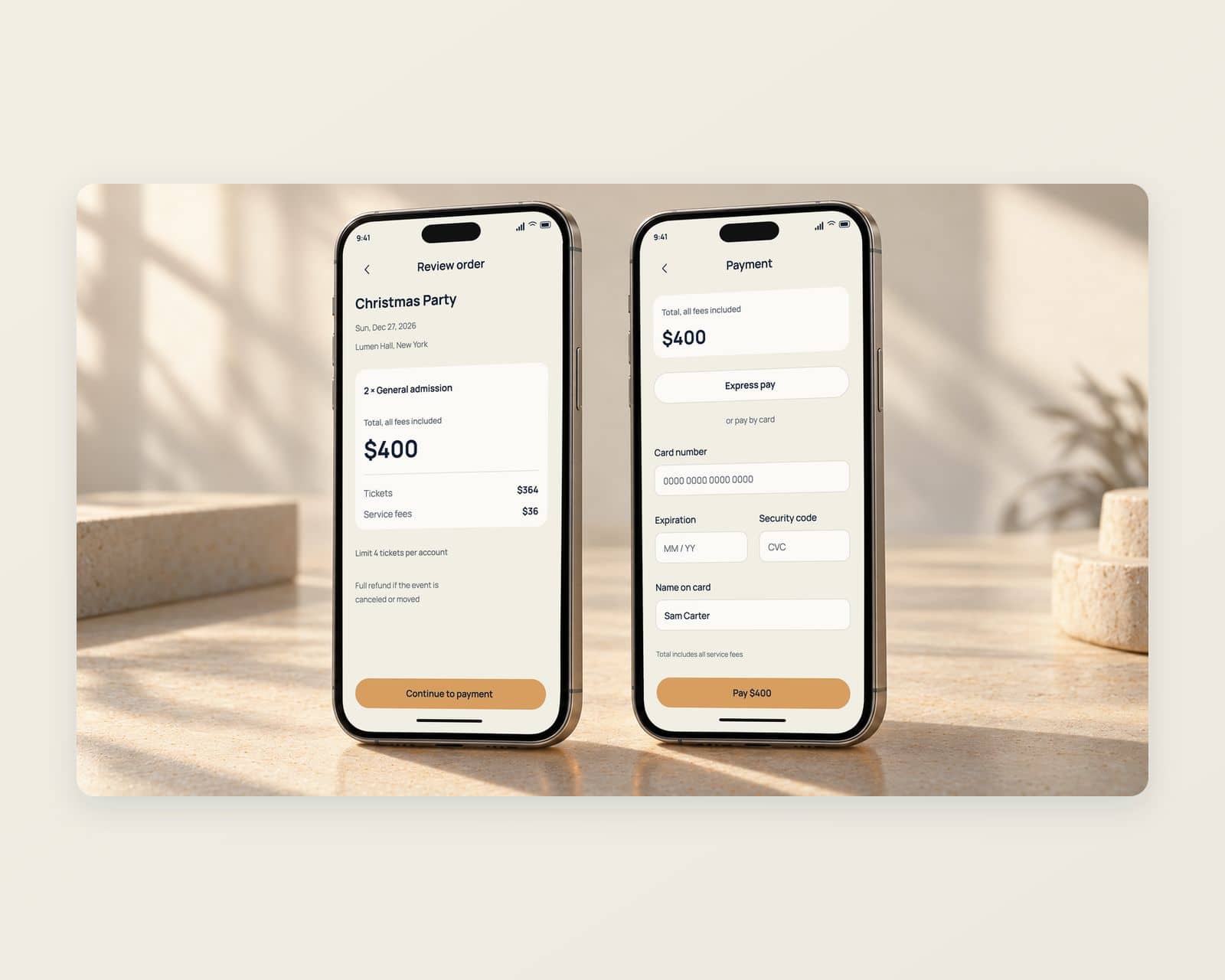
The all-in price, every mandatory fee included, from the first card to the pay button, through a payment provider that keeps card numbers off the app’s servers, with refunds when an event moves or is canceled.Tickets that are hard to copy
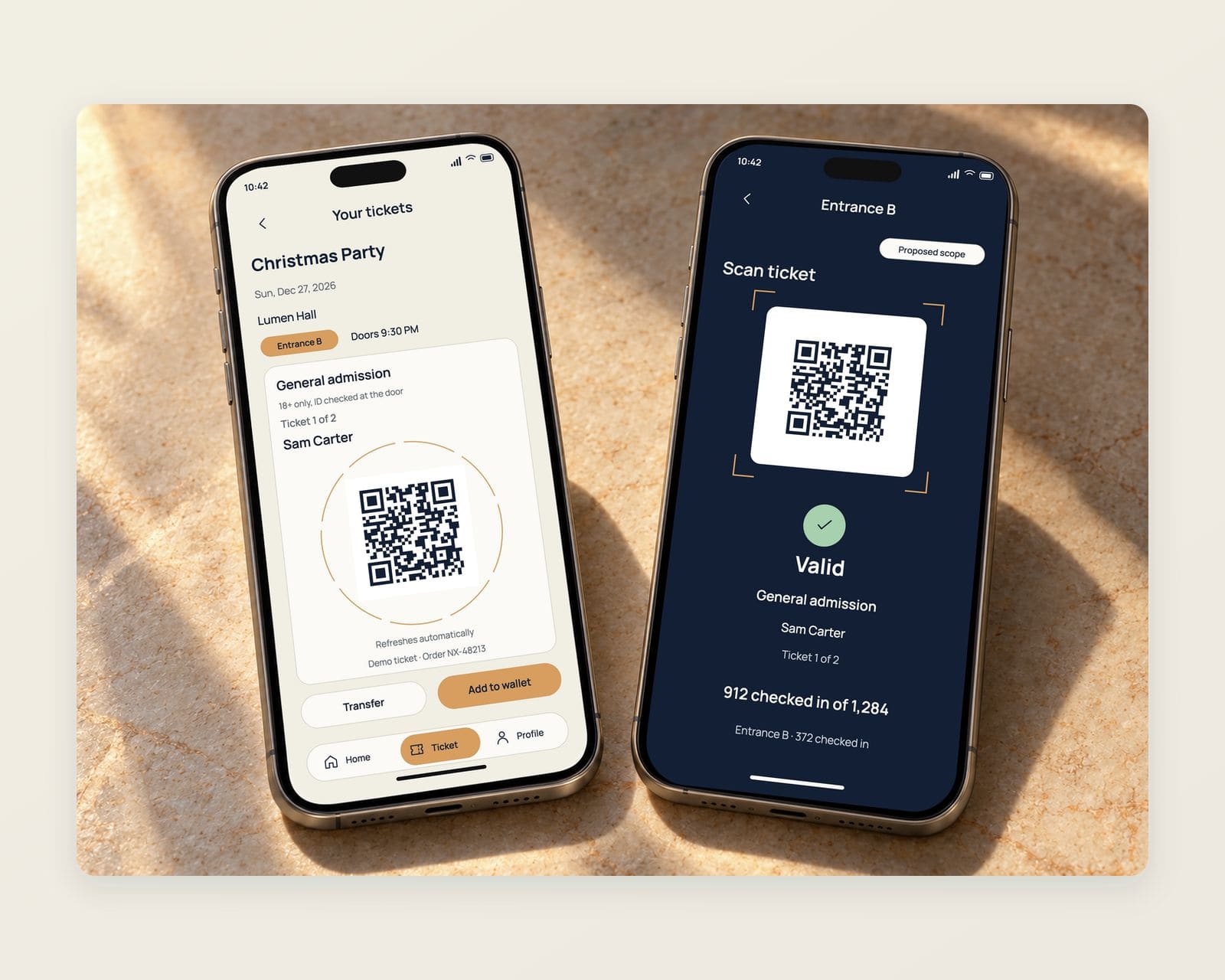
Each ticket a signed QR code in the app and the phone’s wallet, with a code that refreshes so a screenshot or a resold copy fails at the door, and transfers handled inside the account.Check-in and the organizer side
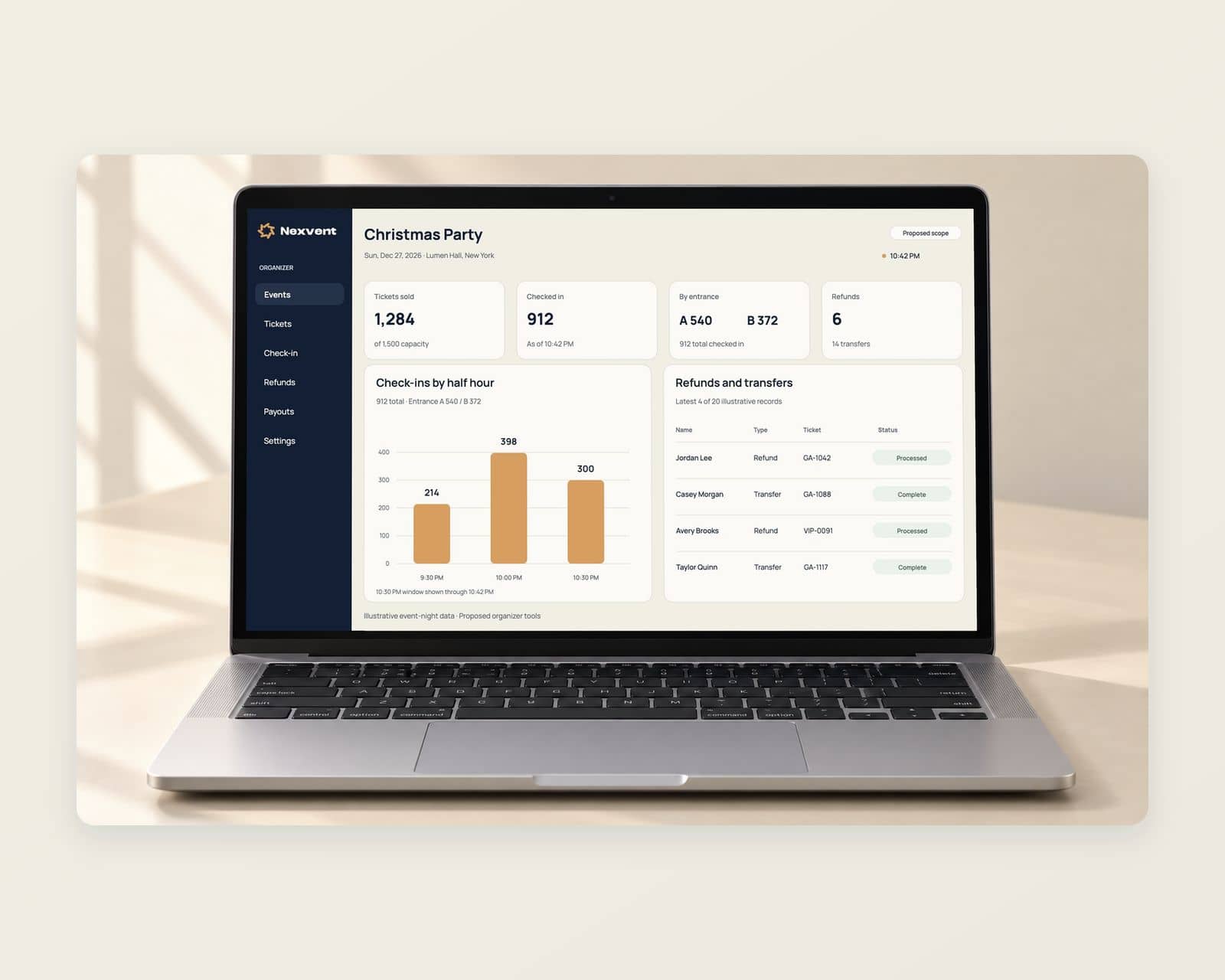
A scanner app for door staff that keeps working on a weak venue signal, and a dashboard with sales, check-ins and capacity by event for the organizer and the venue.
What the Nexvent event app does
Every screen serves one decision: find a night worth going to, see the real price, and get through the door.
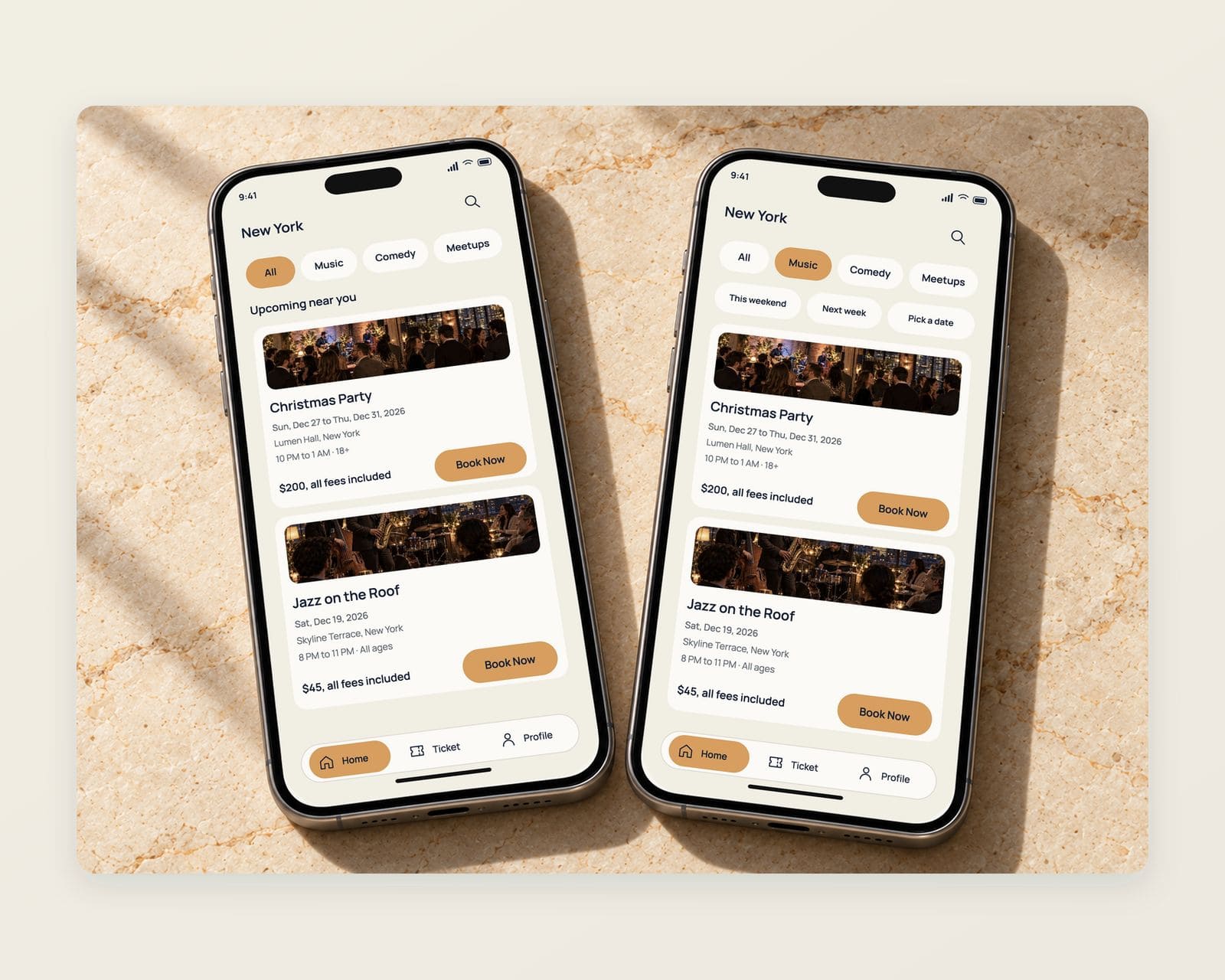
A feed of events by city, category and date
The city at the top, music, comedy and meetups one tap each, and a card for every event with its dates, venue, hours, all-in price and age limit.
Ticket types with the full price on each
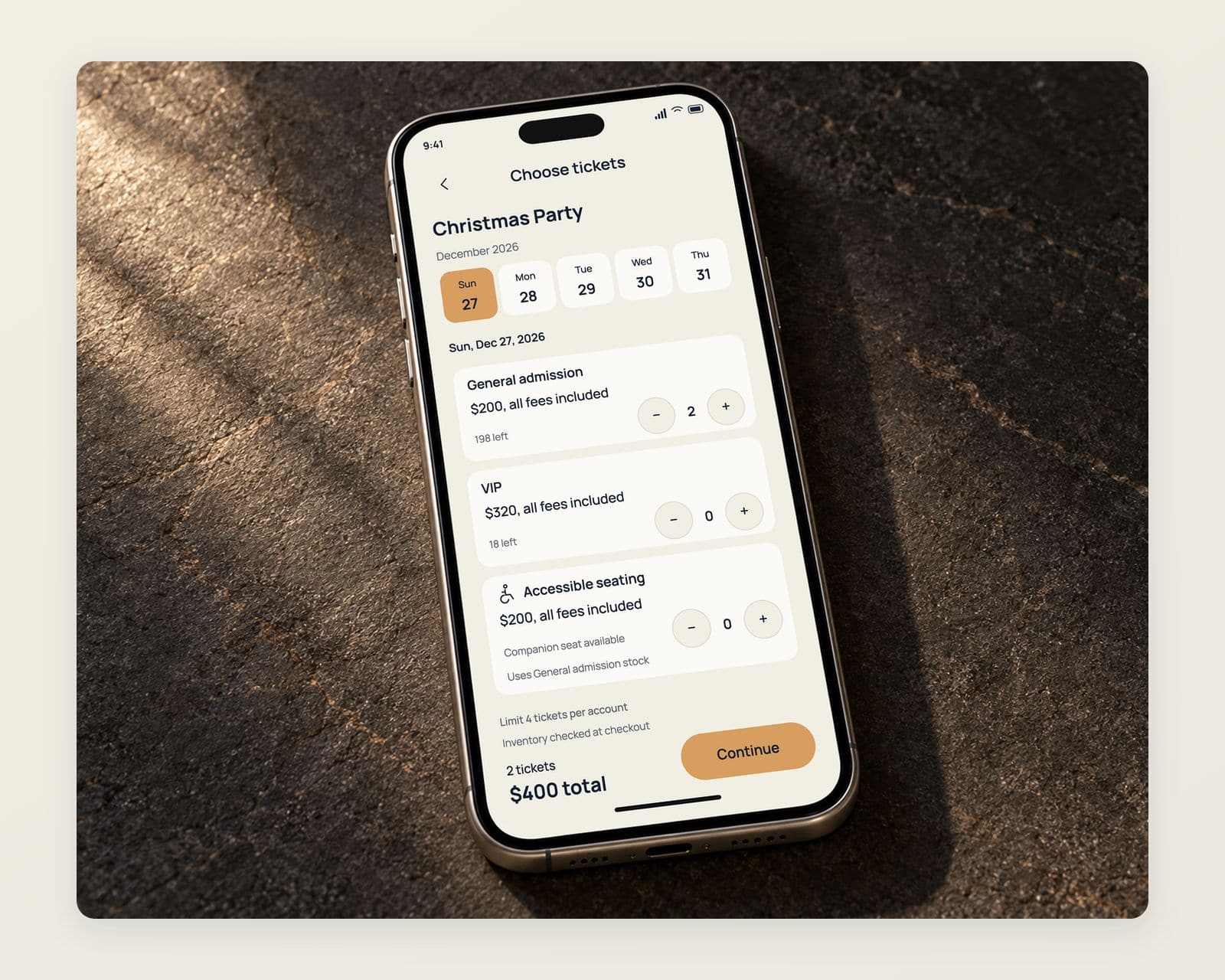
General admission, VIP and accessible seating side by side, each showing its price with every mandatory fee inside it and the tickets left.
A checkout with no surprise at the last step
The total stays the same from the event page to the pay button, each fee shown by name and amount, and the four-ticket limit stated before payment.
A mobile ticket, and the scan at the door
The QR ticket in the app with the entrance and doors time, beside the door staff scanner that confirms it and counts the room. The scanner is proposed scope.
An organizer dashboard for sales and check-ins
Tickets sold, check-ins by entrance and capacity left for each date, with refunds and transfers in one list. Proposed scope.
An identity that carries from the icon to the building
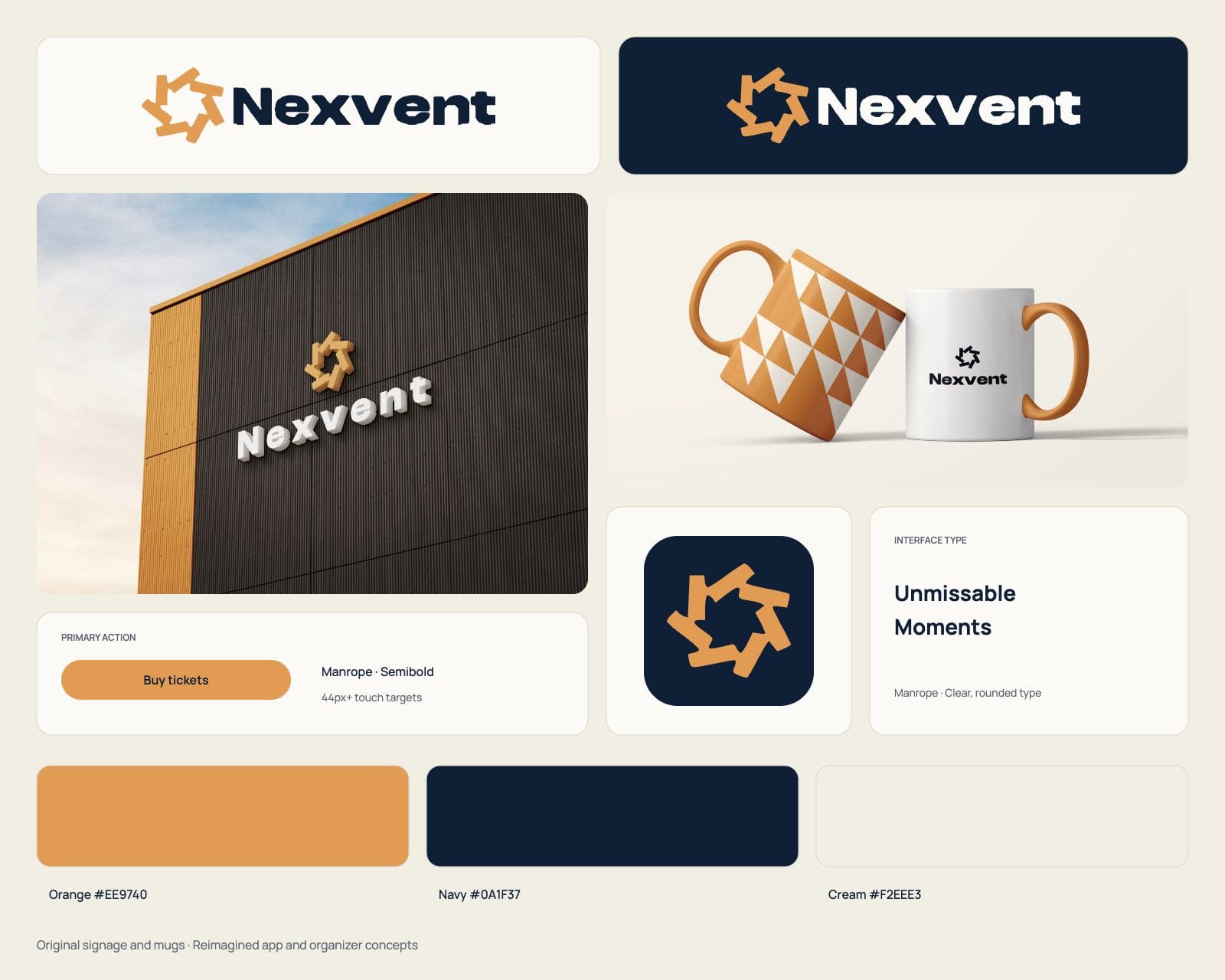
The orange pinwheel mark and the Nexvent wordmark as the app icon, on the building front and on the mugs, with the orange, navy and cream the screens are built from.
The services behind this work: mobile app design and mobile app development. Planning something similar? Read our guide to mobile app development cost.
Before you brief anyone
Planning an event management app? Settle these first
Settle who the app serves, who sells the ticket and how people get in before the screens.
Request a scoping callDecide who the app serves first.
An attendee app for finding and booking events, an organizer app for selling and running them, or both on one ticket inventory: each is a different build, and the organizer side is often the larger part of it.
Decide who sells the ticket.
A ticketing partner’s API keeps inventory and payments with the partner; selling directly means the app holds the inventory, the checkout and the refunds, and shows the all-in price from the first screen. Our mobile app development page covers the build.
Decide how people get in.
A QR ticket in the app and the wallet, a scanner that works on a venue’s weak signal, and a rule for transfers and resale settle most of what happens at the door.
Then agree the scope before comparing prices.
Our guide to mobile app development cost shows which choices move the price, and our custom software development page covers organizer platforms that run beyond the app.
Questions about event management app development
If something here does not answer it, ask the founder directly.

Talk to the people who do the work
A 30 minute scoping call with the team that would take the project on. We reply within 12 hours.
Prefer email?info@redliolabs.com
What does event management app development include?
An attendee app with event discovery, ticket types, checkout and mobile tickets; an organizer side for events, ticket inventory, pricing and refunds; a scanner app for check-in at the door; and the payment provider and any ticketing partner behind them. The attendee screens are one part; the inventory, check-in and organizer tools decide most of the cost.
Do you develop event apps as well as design them?
Yes. We design and develop event and ticket booking apps through our mobile app development work, from the attendee app to the checkout, check-in and organizer side. Nexvent, shown here, is design work: the screens and the brand.
How much does event management app development cost?
It depends on whether the app sells tickets itself or through a partner, the platforms, check-in at the door and the organizer tools, so we price it after a scoping call. Our guide to mobile app development cost explains the main factors.
What does ticket booking app development involve?
Four parts: a catalog of events and ticket types with live counts of what is left, a checkout that shows the all-in price and takes payment through a provider, tickets that are hard to copy, and a scanner that checks them at the door. Nexvent’s feed, ticket selection, checkout and mobile ticket show the attendee side.
Should an event app use a ticketing platform or its own checkout?
A ticketing platform’s API or embedded checkout suits an organizer who already sells through one and wants a better app on top. Its own inventory and checkout pay when the organizer runs many events, wants to own the attendee accounts and data, or sells in ways the platform does not support, such as season passes or bundles.
How should an event app show ticket prices?
With the total first. Since May 12, 2025, the FTC’s fees rule has required live-event ticket sellers to show the total price, mandatory fees included, more prominently than other pricing, and to disclose any charge left out of it, such as government taxes or shipping, before payment.
How does an event app stop bots buying up tickets?
With purchase limits enforced in the checkout, rate limits on the inventory, account checks and tickets tied to the buyer’s account. Getting around a ticket issuer’s posted purchase limits is itself unlawful under the federal BOTS Act.
What an event ticketing app has to get right before launch
An event app sells tickets under federal pricing rules, guards purchase limits against bots, sells accessible seats and ships through two app stores, and each of those has a rule behind it.
All-in price
The total ticket price shown first
Since May 12, 2025, the FTC’s fees rule has required live-event ticket sellers to show the total price, mandatory fees included, more prominently than other pricing.
FTC Rule on Unfair or Deceptive FeesBOTS Act
Purchase limits that bots cannot dodge
Federal law bars getting around the security measures or access controls a ticket issuer uses to enforce its posted purchase limits, so the checkout enforces each one.
15 U.S.C. 45c§36.302(f)
Accessible seats sold like any other
ADA rules let people with disabilities buy accessible seats in the same hours, sales stages and ways as others, at no more than other seats in the same section.
28 CFR 36.302(f)3.1.3(e)
Tickets paid outside in-app purchase
Apple has apps that sell services used outside the app, as an event ticket is, take payment by Apple Pay or card entry rather than in-app purchase.
App Review Guidelines 3.1.3(e)API 36
Android builds on the current target
Since August 31, 2026, new apps and app updates on Google Play must target Android 16, API level 36, or higher.
Google Play target APIIn the app
Account deletion where the account began
Apple requires any app that supports account creation to let people start deleting their account from within the app.
App Review: account deletion
We check the price display, the purchase limits, accessible seating and the store rules during scoping, so the first ticket sells without a fix. Which rules apply to an organizer is a question for its counsel.
More mobile app design work like the event booking app
Design work
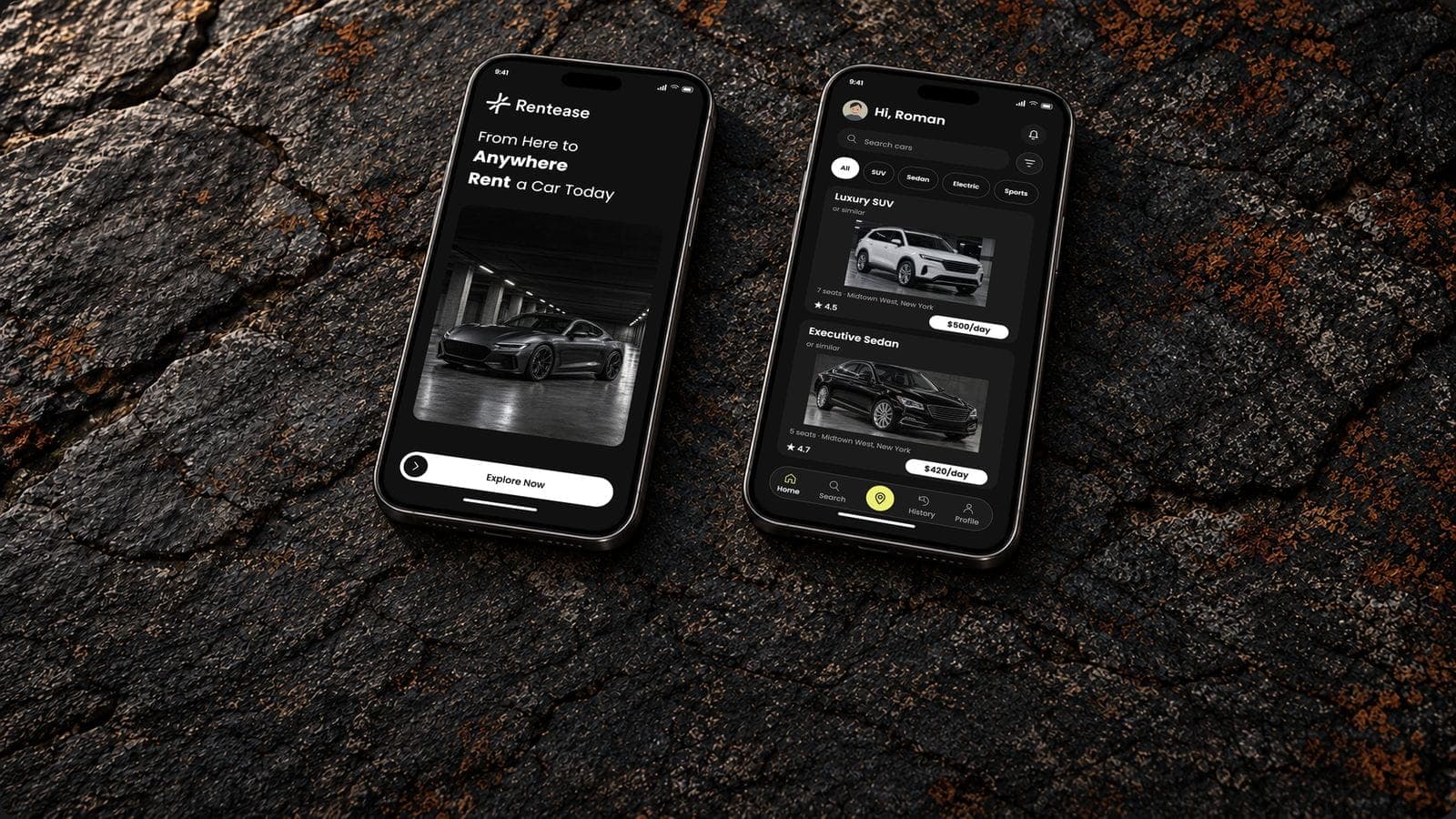
Car rental app development for a premium fleet, from the car list to the return: Rentease
A dark premium car rental app, and the fleet, booking and pick-up build behind it.
Design work
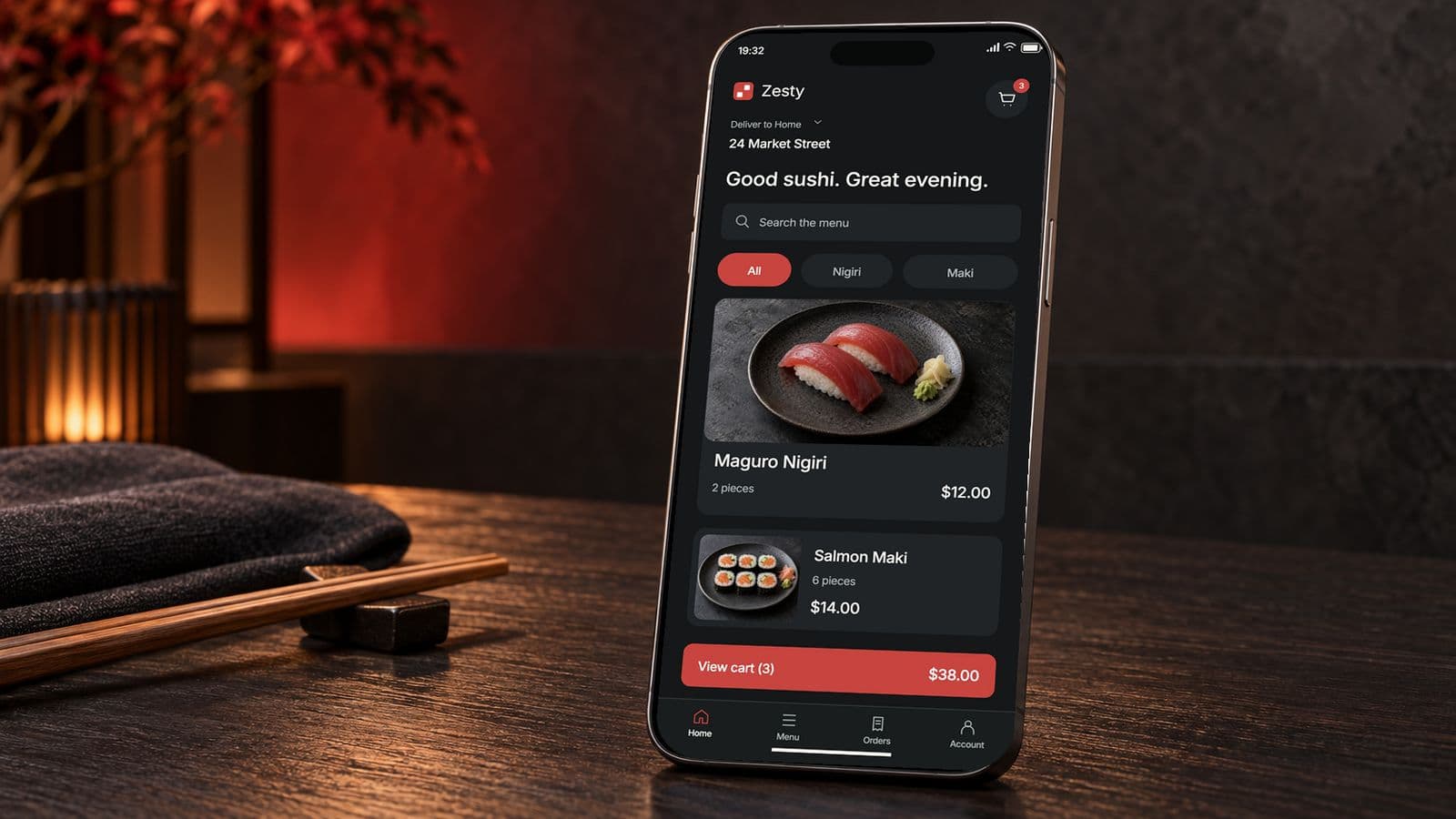
Food delivery app development, from the menu to the doorstep: Zesty
A sushi ordering app with live order tracking, and the delivery build behind it.
Design work
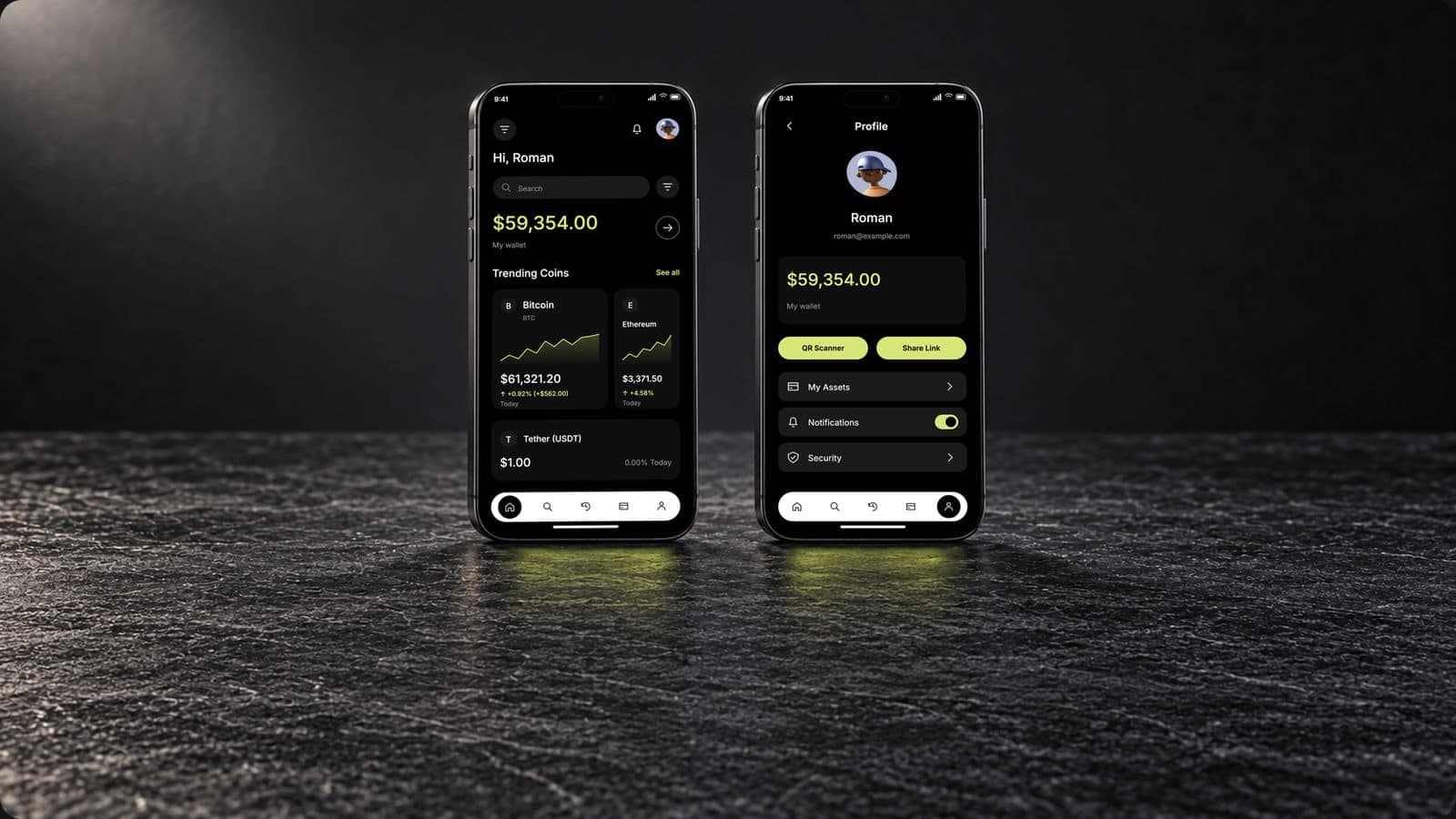
Crypto wallet app development, from the private key to the sent coin: Apex
A dark mode crypto wallet app, and the keys, chains and sending behind it.
Talk to us about an event booking app
Thirty minutes with the people who would design and build it: who sells the tickets, how people get in at the door, and what organizers need to see.
- We reply within 12 hours
- A quote within 48 hours of the scoping call
- You talk to the people doing the work, never an account manager
- Peer-reviewed releases
- NDA before your first call

Mayursinh Jadeja
Founder, Redlio Labs