Website migration SEO, and why the kind of move matters more than the checklist
Website migration SEO starts with naming the move. A hosting change barely touches rankings; a new domain can take more than a year to recover. Keep permanent redirects for at least a year, and in my view for good, and judge recovery from your own Search Console data.

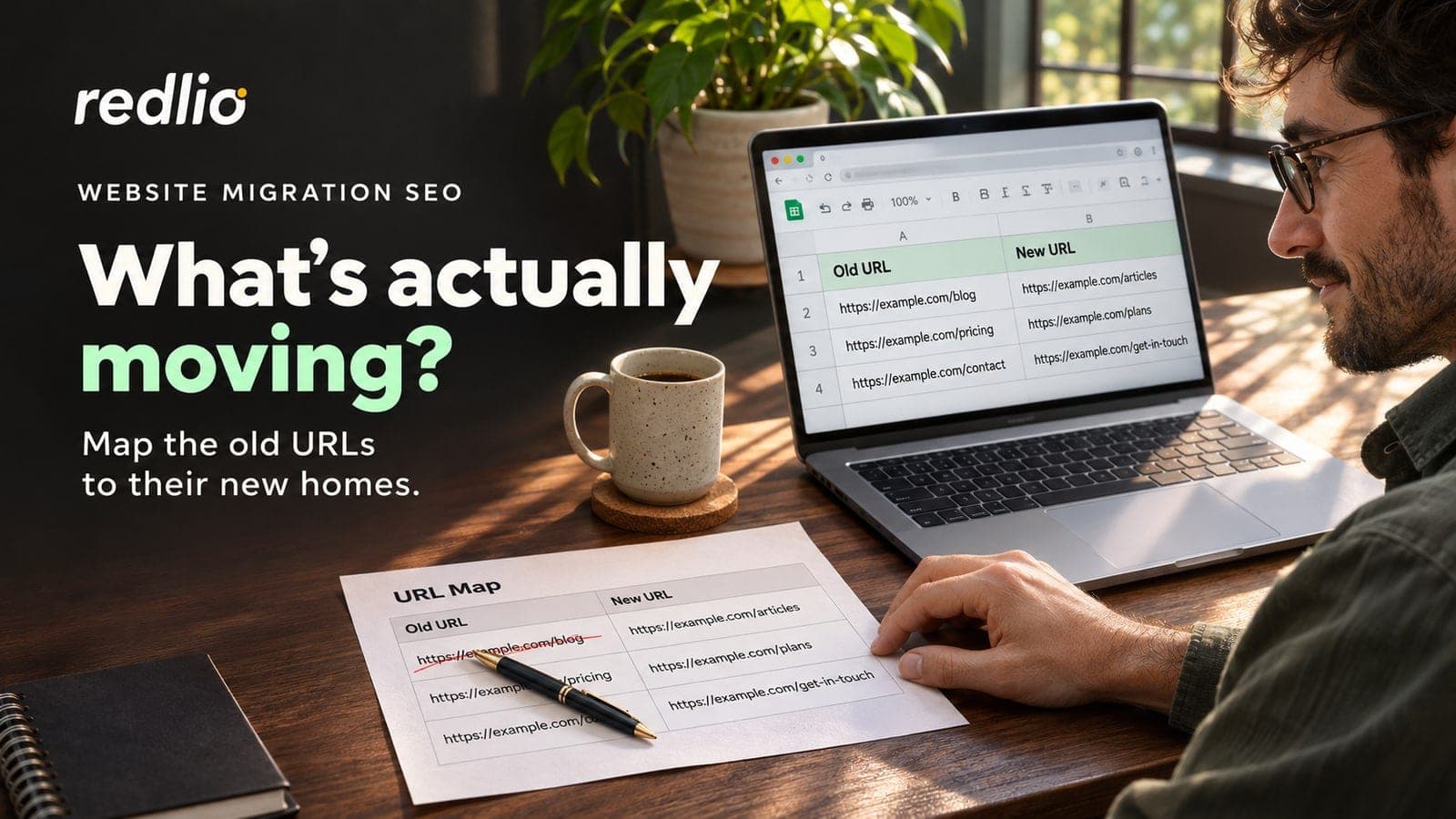
Google gives two answers on redirects
Ask Google how long to keep redirects after a website migration and you get two answers. Its site move guide asks for a year at the least, and suggests keeping them indefinitely for users.
The Change of Address help page says at least 180 days, longer if the old addresses still get traffic from Search. The same page tells you to keep paying for the old domain for a year or more.
I don’t read that as a contradiction so much as two teams writing for two situations. My answer is simpler. Keep permanent redirects for good. They cost a few lines of server configuration, and every old link in an email, a PDF or a partner’s page keeps working.
Almost every website we build at Redlio Labs replaces an older one, so a migration is part of most projects I scope. That also means I sell the work described here. What follows is how I’d think about it whoever does it.
Five kinds of move, from least to most risk
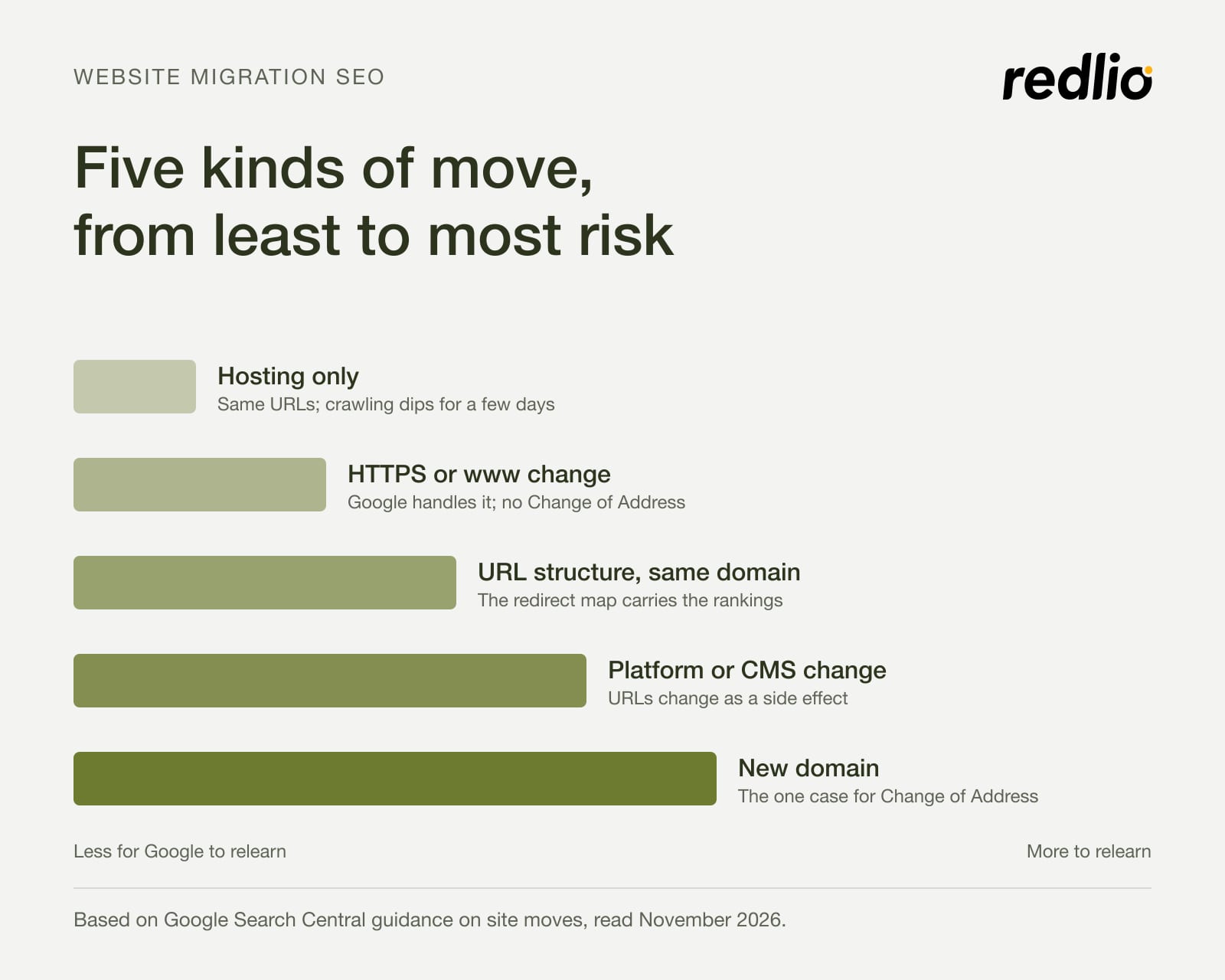
“Migration” covers moves with very different risks, so start by naming yours. I rank them by how much Google has to relearn.
A hosting move keeps every URL the same. Google’s guide to hosting changes says to lower the DNS time to live at least a week ahead. Expect crawling to dip right after the switch and recover over the next few days. Rankings seldom notice.
Moving to HTTPS, or between www and the bare domain, changes every URL in a way Google handles routinely. It does not need the Change of Address tool, which the help page says Google will work out for itself.
Changing URL structure on the same domain, as most redesigns do, puts the redirect map at the center of the project. Our redesign checklist covers how to build that map.
A platform or CMS move usually changes URLs as a side effect, through new patterns, trailing slashes or lowercase rules. A domain change is the riskiest, and it is the only one the Change of Address tool exists for.
 (opens full size in a new tab)
If you can, don’t stack them. Do a new domain, a new CMS and a new URL structure in one weekend, and any drop has three possible causes you can’t tell apart. When a client wants all three, I suggest moving the domain on its own first, then redesigning once traffic has settled.
How long recovery really takes
Google promises fluctuation, not a date. For a medium-sized site, its guide says, the new URLs can take weeks to start appearing, and longer on a large site. Rankings settle over time, it adds, without saying when.
The best published numbers I found are for domain changes, and they are sobering. Dan Taylor tracked 892 domain migrations for Search Engine Journal in 2025. On average it took 523 days for the new domain to match the old one’s estimated organic traffic, and 17% had not caught up after 1,000 days.
Read those figures with care. They are third-party traffic estimates, not the sites’ own analytics, and the sample came from people who answered a call for examples. They cover domain moves only. A hosting change or an HTTPS move is a different animal.
Of ten ranking guides I read for this article, just one gave a sourced recovery figure, and it was this study. The others said weeks or months without saying how they knew. Judge your own migration against your own baseline: Search Console clicks and impressions for the pages that earn, and the inquiries they send.
301, 308, and why a 302 quietly costs you
Use permanent redirects, either 301 or 308. HTTP’s own definition in RFC 9110 treats both as permanent. A 308 also keeps a form submission as a POST, and it is younger, so a few old clients may not know it.
Google’s redirects documentation puts 301 and 308 in the same permanent group and treats them as a hint about which URL to show. A 302 or 307 says the move is temporary, so the old URL can hang on in results. That is the most common quiet mistake I see in plugin-built redirect lists.
Point each old URL straight at its final destination. Googlebot will follow up to ten hops, Google says, but every hop slows users down and invites a break when the next site replaces this one.
One URL through a CMS move
Take a made-up services page that lived at /services/erp.html on the old CMS and now lives at /services/erp-software-development. The map line looks finished. Then you test it.
The old address with a capital letter, /Services/ERP.html, returns a 404 because the new server matches case. The version with a tracking parameter from last year’s newsletter redirects twice, first to add a trailing slash and then to the new page. And the redirect drops the parameter, so the newsletter clicks arrive unattributed.
None of that shows up in a spreadsheet. It shows up when someone requests each variant and reads the status codes. Write the rule for case, trailing slashes and query strings once, then test a sample of real URLs from your analytics, not only the ones in the map.
What a B2B site loses that rankings don’t show
For a B2B company the expensive losses are often not rankings at all. They are the inquiry form that posts to the old CRM endpoint, the source field that stops recording, and the conversion event nobody re-created in analytics.
Add the links you do not control to your list. Google Ads final URLs, your Google Business Profile website link, partner directories, email signatures and PDFs in the sales deck all point at old addresses. Redirects catch most of them, but ad links should be changed at the source so campaign data stays clean.
Gated content needs a decision too. If your whitepapers moved behind a new form tool, the old download links need somewhere useful to land, not the home page.
Who owns the migration
One named person should own the migration, and SEO should be in the room from the first planning meeting, not the week before launch. Much of the work is engineering: server rules, staging blocks, sitemaps. The SEO decisions about which pages matter shape what the engineers build.
On our projects the developer who writes the redirect rules also runs the checks after launch, with the SEO lead reading Search Console beside them. Splitting those jobs between two firms is where I have seen the gaps appear, because each assumes the other tested it.
Website migration checklist
The order I would work in, whichever kind of move it is.
- Name the move: hosting, HTTPS, URL structure, platform or domain, and avoid stacking them.
- Record a baseline: Search Console clicks and impressions by page, and inquiries by source.
- Collect old URLs from the sitemap, Search Console, analytics and backlinks, and flag the ones that bring traffic or inquiries.
- Map each old URL to one final destination, with rules for case, trailing slashes and parameters.
- Use 301 or 308 redirects, test real URLs on staging, and remove chains.
- Re-create forms, CRM endpoints, conversion events and the inquiry source field, then send a real inquiry.
- Update links you control: ads, Business Profile, signatures, sales PDFs and partner listings.
- Launch, remove staging blocks, submit the new sitemap, and use Change of Address only for a domain move.
- Compare against the baseline weekly, starting with the pages that earn.
- Keep the redirects and the old domain. My advice is for good.
If a migration is on your plan, send me the current site and what is changing. I answer inside 12 hours. Then, on a short call, the developer and SEO lead who would handle it tell you which kind of move this is and where yours could break.
Questions about website migration SEO
Does a website migration affect SEO?
Usually, for a while. Google says to expect ranking fluctuation during a move with URL changes. A hosting move without URL changes barely registers, while a domain change carries the most risk and the longest recovery.
How long does it take to recover from a website migration?
Google says a medium-sized site’s new URLs can take weeks to start showing, and longer on large sites. A study of 892 domain migrations found an average of 523 days to match the old domain’s estimated traffic, though it used third-party estimates.
How long should I keep 301 redirects after a migration?
Google’s site move guide says at least a year and suggests keeping them indefinitely for users; its Change of Address page says at least 180 days. Keeping them permanently costs little and keeps every old link working.
Do I need the Change of Address tool?
Only when you move from one domain or subdomain to another. Google says it is not needed for HTTPS moves, www changes or URL changes within the same domain.
Should I redesign and migrate at the same time?
Avoid it where you can. Changing the domain, the platform and the URL structure at once leaves several possible causes for any drop. Move one thing first, let traffic settle against your baseline, then make the next change.
The author